




The best place for a 5G router at home is a well-ventilated location with strong cellular reception, usually near an unobstructed window and away from thick walls, metal objects, and excessive heat. However, the ideal position depends on your building, network operator, surrounding obstacles, and the router's ability to distribute Wi-Fi throughout your property. Testing several locations is more reliable than choosing one based on appearance or signal bars alone.
In Saudi Arabia, 5G home internet performance can vary considerably between apartments, concrete villas, offices, farms, and rest houses. A router placed near one window might deliver a stable connection, while moving it into an interior room could affect reception. In other situations, relocating the router only a short distance may noticeably change performance.
This guide explains how to choose an indoor 5G router location, evaluate signal measurements, compare different positions, and determine when improving Wi-Fi distribution is more useful than purchasing another router.
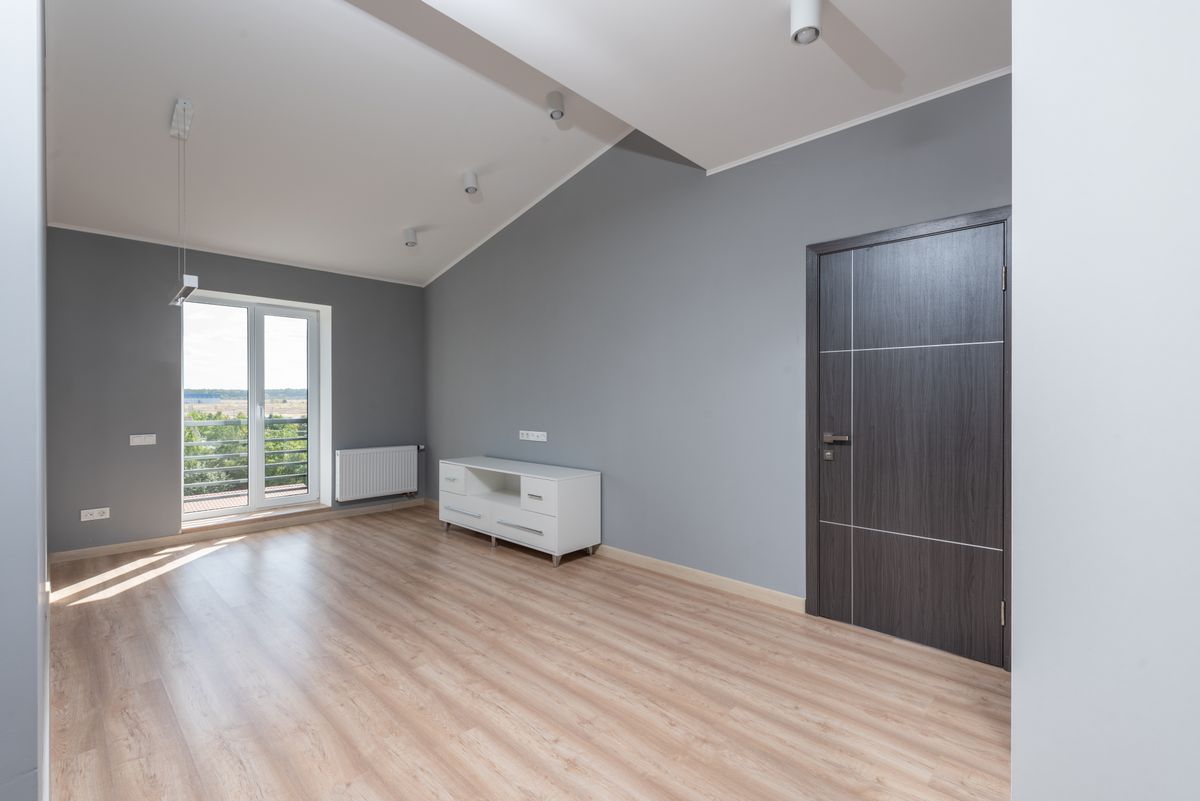
What Is the Quickest Way to Find the Best 5G Router Location?
Start by placing the router near an unobstructed window, then compare its signal readings and actual internet performance with at least two alternative locations. Choose the position that provides the best practical balance of cellular reception, stability, and local Wi-Fi coverage.
Use this initial process:
- Identify three possible positions inside the building.
- Keep the router, SIM card, and network settings unchanged.
- Place the device upright or in its manufacturer-approved orientation.
- Allow the cellular connection to stabilize.
- Record signal measurements where supported.
- Perform repeated download, upload, and latency tests.
- Check Wi-Fi coverage in frequently used rooms.
- Compare the results before selecting a permanent position.
A location that produces the highest download speed during one test is not necessarily the best location for everyday use.
Why Does Router Placement Affect 5G Internet Performance?
Router placement affects performance because the device must receive radio signals from a cellular network while also distributing a separate Wi-Fi connection to devices inside your property.
Walls, metal structures, building materials, neighboring buildings, and the surrounding environment can influence cellular reception. Indoor furniture, walls, distance, and interference can also affect the router's Wi-Fi coverage.
These are two separate network connections, and they should be evaluated independently.
What Is the Difference Between 5G Reception and Wi-Fi Coverage?
5G reception describes the connection between your cellular router and the mobile network. Wi-Fi coverage describes the connection between the router or an access point and your phones, laptops, televisions, and other local devices.
| Factor | Cellular 5G Connection | Local Wi-Fi Connection |
|---|---|---|
| Connection path | Mobile network to router | Router or access point to device |
| Typical obstacles | Buildings, concrete, metal, terrain | Walls, floors, furniture, interference |
| Useful measurements | RSRP, RSRQ, SINR, network performance | RSSI, link performance, local throughput |
| Typical improvement | Reposition router or evaluate compatible reception solutions | Relocate access points or improve Wi-Fi distribution |
| Network responsibility | Mobile operator and cellular equipment | Local wireless network configuration |
Should You Place a 5G Router Next to a Window?
Placing a 5G router near a window is often a sensible starting point because the signal may encounter fewer dense building materials than it would in an interior room.
However, different windows may provide very different results. Their orientation, surrounding buildings, metal-coated glazing, and external obstructions can influence reception.
NETGEAR recommends testing locations near unobstructed windows and keeping compatible mobile hotspots elevated rather than enclosed in cupboards.
See the official NETGEAR router placement guidance.
Can Window Glass Reduce 5G Signal Strength?
Yes. Certain glazing materials, particularly those with metallic coatings, can attenuate radio signals. The actual impact depends on the glass construction and cellular frequencies.
Should the Router Be Placed Directly Against the Glass?
Not necessarily. A nearby shaded shelf may be preferable if it provides similar reception with better airflow and less exposure to heat.
Is the Upper Floor Better for a 5G Router?
An upper floor can sometimes provide better cellular reception by reducing the number of nearby obstructions, but it is not automatically the best location in every property.
In a multi-story Saudi villa, the upper floor may offer a clearer path toward the serving cellular network. However, the ground floor could perform better because of local radio conditions or building orientation.
Testing both floors is more reliable than assuming that height always improves reception.
Can You Place the Router on a Rooftop?
Only use a rooftop if the equipment is specifically designed and approved for outdoor installation, with appropriate protection, mounting, power, and cabling. Standard indoor routers should not be exposed to outdoor weather conditions.
How Do Concrete Walls Affect Indoor 5G Reception?
Concrete walls, particularly reinforced concrete containing steel, can reduce radio signal strength and make indoor cellular coverage more variable.
The amount of attenuation depends on material composition, thickness, construction, frequencies, and the surrounding radio environment.
Many Saudi residential properties contain reinforced concrete structures, making placement tests particularly valuable when evaluating home broadband performance.
Can a Router Work Well in One Room but Poorly in Another?
Yes. Two adjacent rooms may experience different cellular conditions because of building materials, reflections, and obstruction patterns.
Is Placing a Router Inside a Metal Cabinet Recommended?
Generally not for typical indoor cellular routers. Metal enclosures can obstruct radio signals and may reduce ventilation unless the installation is specifically engineered for that purpose.

Which Router Locations Should You Avoid?
Avoid locations with significant physical obstructions, excessive heat, inadequate ventilation, moisture, or nearby equipment that causes noticeable interference.
The following examples are common starting points for troubleshooting indoor router placement.
| Location | Potential Problem | Better Approach |
|---|---|---|
| Closed metal cabinet | Signal obstruction and restricted airflow | Open, ventilated location |
| Behind a large television | Physical obstruction and possible interference | Clear shelf away from large electronics |
| Direct afternoon sunlight | Excessive device temperature | Shaded and ventilated position |
| Floor behind furniture | Additional obstructions | Stable elevated shelf |
| Interior storage room | Possible weak cellular reception | Test less obstructed rooms |
| Damp utility area | Moisture-related equipment risk | Dry location within operating specifications |
How Can You Measure 5G Router Signal Quality?
Open your router's management interface and examine the available cellular signal indicators, including RSRP, RSRQ, and SINR where supported.
These measurements help describe the cellular radio connection, although their interpretation depends on the technology and measurement source.
Some routers operating with non-standalone 5G display LTE measurements alongside their 5G connection status. Do not assume that every displayed RSRP value refers directly to 5G NR.
What Does RSRP Mean?
Reference Signal Received Power describes the received power of designated reference signals. It is commonly reported in dBm. When comparing equivalent measurements, a less negative value generally indicates stronger received power.
What Does RSRQ Mean?
Reference Signal Received Quality is a radio quality metric that should be interpreted together with other indicators, rather than as a standalone prediction of internet speed.
What Does SINR Mean?
Signal-to-Interference-plus-Noise Ratio describes the relationship between the useful signal and unwanted interference or noise. Higher values generally indicate more favorable reception conditions.
Are Signal Bars Enough to Choose a Router Location?
No. Signal bars simplify complex measurements and may use different thresholds across manufacturers. Actual network speed and stability should also be tested.
Huawei provides guidance for examining signal quality on supported CPE devices, including LTE RSRP, RSRQ, and SINR readings. Visit the official Huawei CPE signal measurement guide.
How Can You Compare Different Router Locations Objectively?
Test each location using the same router, SIM card, network configuration, and comparable testing conditions. Record multiple readings instead of relying on one speed test.
Measure both the cellular connection and the actual user experience. Where practical, run an Ethernet speed test to reduce the influence of local Wi-Fi conditions.
The following table is an illustrative example, not actual field measurements or a standardized 5G signal classification.
| Test Location | RSRP | SINR | Example Download |
|---|---|---|---|
| Interior bedroom | -109 dBm | 4 dB | 42 Mbps |
| Living room window | -91 dBm | 14 dB | 165 Mbps |
| Second window | -87 dBm | 10 dB | 132 Mbps |
| Upper-floor office | -94 dBm | 18 dB | 205 Mbps |
In this hypothetical test, the upper-floor office has the highest measured download speed despite not having the strongest RSRP. This illustrates why signal power alone does not determine throughput.
Can Rotating a 5G Router Improve Reception?
Sometimes. Router orientation can influence reception because internal antenna configurations and signal propagation vary by device and environment.
Only test orientations permitted by the manufacturer. A router intended to remain upright should not be placed sideways merely to produce a temporarily better speed result.
After each adjustment, allow the connection to stabilize and record the measurement before trying another orientation.
How Should You Test 5G Internet Speed Accurately?
Perform repeated download, upload, and latency tests under comparable conditions, ideally with a wired device where supported. Then evaluate the experience over Wi-Fi in the rooms where internet access matters.
Avoid running substantial background downloads, cloud backups, or simultaneous streaming during controlled placement tests.
It is also useful to compare results during different periods of the day because cellular network congestion may change.
Does the Fastest Download Result Mean the Best Location?
Not always. Video meetings, online gaming, remote work, and cloud uploads also depend on upload performance, latency, packet loss, and connection stability.
How Can You Improve Internet Coverage in a Large Saudi Villa?
Choose the main router's position based on cellular reception, then improve indoor Wi-Fi coverage using suitable access points or a mesh network.
This approach separates the task of receiving internet service from the task of distributing that connection across the building.
For larger Saudi villas, the best cellular reception point might be upstairs or near a particular window, while the strongest Wi-Fi coverage may require access points placed on different floors.
Does a Mesh System Improve the Router's 5G Signal?
Not normally. A Wi-Fi mesh system extends local wireless coverage but does not directly improve the cellular radio connection between the router and the mobile network.
Is Ethernet Backhaul Better for Mesh Systems?
Where supported and practical, Ethernet backhaul can provide a reliable connection between access points and avoid some of the radio limitations associated with wireless backhaul.

When Should You Consider an External Antenna Instead?
Consider evaluating an external antenna when indoor placement tests consistently show poor cellular reception and the router supports a compatible external antenna configuration.
Compatibility should be verified before purchasing anything. Relevant factors include antenna ports, supported cellular bands, MIMO configuration, cable characteristics, and the installation environment.
An external antenna does not guarantee faster internet, and an unsuitable antenna or excessive cable loss may reduce the expected benefit.
For suitable equipment options, explore the router category at Future Networks.
Struggling to find the right location for your 5G router?
Contact Future Networks for guidance on selecting compatible routers and reception solutions for homes, villas, farms, and commercial properties in Saudi Arabia.
 Call Now
 WhatsApp
How Does Building Type Affect 5G Router Placement?
Building materials, room layout, number of floors, metal structures, and surrounding obstacles can change which router position works best.
Use the type of property to guide your first tests, but confirm the final decision through measurements.
| Saudi Property Type | Potential Challenge | Recommended First Test |
|---|---|---|
| Apartment | Signal differences between rooms | Compare accessible windows |
| Two-story villa | Reception and Wi-Fi distribution across floors | Test cellular reception on each floor |
| Farmhouse | Remote cellular coverage and wide service area | Assess cellular reception separately from outdoor Wi-Fi |
| Warehouse | Metal shelves and structures | Test open, less obstructed locations |
| Commercial office | Multiple rooms and connected devices | Optimize cellular gateway and LAN separately |
How Can You Prevent a 5G Router From Overheating?
Keep the router in a location with adequate ventilation, away from direct sunlight, and within the operating temperature range specified by its manufacturer.
This is particularly relevant in Riyadh and other Saudi cities where sunlight through windows can significantly heat indoor surfaces.
A position near a window may improve reception but is not suitable if it exposes the router to excessive heat.
Can Heat Affect Internet Stability?
Yes. Excessive operating temperatures may cause protective performance changes, instability, or shutdowns depending on the device.
How Can You Choose Between Better Reception and Better Wi-Fi Coverage?
Prioritize a dependable cellular connection at the main router, then use appropriate local networking equipment to distribute that connection to important rooms.
For example, if the router provides good 5G reception near an upstairs window but weak Wi-Fi downstairs, moving it downstairs may worsen the cellular connection. A better solution may be to retain the router upstairs and improve local coverage separately.
What Common Mistakes Should You Avoid When Moving a 5G Router?
Avoid changing several variables simultaneously, testing only once, ignoring upload and latency performance, exposing the device to excessive heat, and confusing Wi-Fi problems with cellular coverage issues.
Other common mistakes include purchasing a new router before checking the existing connection and interpreting signal bars as a complete indication of network quality.
How Should You Maintain Router Performance After Installation?
Check ventilation, software updates, signal behavior, and physical connections periodically. Repeat measurements if the environment or network performance changes substantially.
Use manufacturer-provided update procedures and avoid applying firmware that is not intended for the exact device model.
What Is the Best 5G Router Placement Checklist?
The best checklist confirms cellular reception, device safety, Wi-Fi distribution, and measurable connection stability before permanent installation.
- ☐ Test at least three indoor router positions.
- ☐ Compare accessible windows and floors.
- ☐ Keep the router in its approved orientation.
- ☐ Avoid direct sunlight and excessive heat.
- ☐ Ensure adequate ventilation.
- ☐ Avoid large metal obstructions where possible.
- ☐ Record cellular signal measurements when available.
- ☐ Confirm whether readings represent LTE or 5G NR.
- ☐ Run repeated download speed tests.
- ☐ Test upload speed and latency.
- ☐ Compare wired and Wi-Fi performance if supported.
- ☐ Check coverage in the main rooms.
- ☐ Evaluate different times of day.
- ☐ Secure the device and cables safely.
- ☐ Record the final location and baseline results.
What Are the Most Frequently Asked Questions About 5G Router Placement?
These answers address practical questions from homeowners and businesses using cellular home broadband in Saudi Arabia.
1. Where should I place my 5G router at home?
Start with an elevated, unobstructed position near a window, then compare signal quality and internet performance with other locations.
2. Is a 5G router faster near a window?
It may be, especially when the window provides a less obstructed cellular signal path. Actual performance must be measured.
3. Should a 5G router be upstairs or downstairs?
Neither location is always superior. Test both floors and compare cellular reception, speed, and local Wi-Fi coverage.
4. Do concrete walls block 5G signals?
They can attenuate cellular signals, particularly when reinforced with metal. The impact depends on construction and radio conditions.
5. Can I put my 5G router inside a cupboard?
It is generally better to avoid enclosed locations that obstruct signals or restrict ventilation unless the installation is specifically designed for them.
6. Do full signal bars guarantee fast 5G internet?
No. Throughput also depends on signal quality, interference, network congestion, available capacity, and equipment performance.
7. Does Wi-Fi mesh improve cellular 5G reception?
No. Mesh primarily improves local Wi-Fi distribution rather than the cellular connection entering the router.
8. Can rotating my 5G router improve reception?
Sometimes, depending on antenna design and surroundings. Follow the manufacturer's approved device orientation.
9. When do I need an external 5G antenna?
Consider one after confirming poor indoor cellular reception and verifying antenna compatibility with your specific router.
10. How often should I test my router's signal?
Test during initial installation and again when persistent changes in performance, the environment, or the network justify another check.
How Can You Get the Right 5G Router for Your Saudi Property?
Start by identifying the connection problem and confirming the router's compatibility with the mobile network and conditions at your location.
Different homes and commercial sites may require different combinations of cellular routers, compatible reception equipment, and indoor wireless distribution systems.
Future Networks provides networking equipment and connectivity solutions for customers in Saudi Arabia. You can explore its official online store, browse the router collection, or consult the customer FAQ.
For additional networking topics, visit the Future Networks blog.
Need a reliable networking solution for your home or business?
Speak with Future Networks about your property, existing router, operator coverage, and compatible connectivity options.
What Is the Final Recommendation for Indoor 5G Router Placement?
The best indoor 5G router location is the one that provides consistently good cellular reception while allowing reliable local network coverage. A window-side position is often worth testing first, but it should not be treated as a universal rule.
Measure signal quality, compare actual download and upload performance, check latency, and evaluate how well the internet reaches the rooms where it is needed.
If cellular reception is strong but Wi-Fi coverage is poor, improve the local wireless network. If cellular reception remains weak across suitable indoor locations, evaluate compatible reception solutions before purchasing replacement equipment.
For professional guidance and equipment options, visit Future Networks Saudi Arabia.