


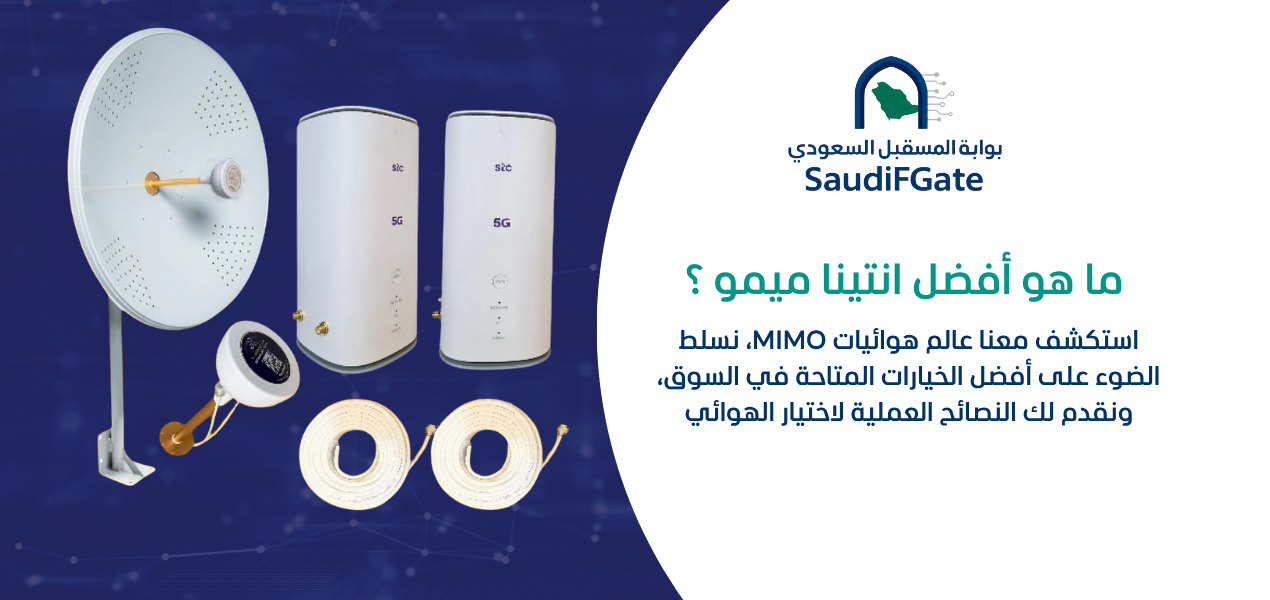

To fix slow 5G upload speed, test your connection using Ethernet, check router signal quality, and compare upload results at different times. Move the router to a better reception point, inspect background uploads, and verify your mobile plan. If reception remains poor, test a compatible external antenna. Improvements depend on network coverage, interference, and operator capacity.

Many 5G internet users in Saudi Arabia experience an unusual problem: websites load quickly, videos stream smoothly, and download tests show excellent results, but uploading a document or sending a large video takes much longer than expected.
This issue is especially frustrating for content creators, remote employees, architects, engineers, online business owners, and companies that depend on cloud storage or video conferencing.
The reason is that upload and download performance depend on different aspects of the mobile network. A router may receive strong downlink signals while its uplink performance is constrained by interference, transmission power, network configuration, or congestion.
Understanding these differences helps identify whether the problem comes from the router, Wi-Fi, device, mobile operator, or the application receiving the upload.
Future Networks provides networking products and solutions for the Saudi market. This guide explains practical troubleshooting steps before deciding whether you need a different router, antenna, or network configuration.
 Call Now
 WhatsApp
Why Is My 5G Upload Speed Slow?
Why is my download fast but my upload slow?
Download and upload performance can differ because mobile networks allocate radio resources differently and the router transmits data under different technical constraints than the base station.
Upload speed may also be affected by uplink interference, radio conditions, network scheduling, operator policies, and congestion.
Does a strong 5G signal guarantee fast uploads?
No. Strong signal power does not necessarily indicate low interference, sufficient uplink capacity, or a fast connection to the destination server.
Signal quality and actual upload tests are more informative than signal bars alone.
Can the mobile network limit upload performance?
Yes. Network configuration, radio spectrum, available uplink resources, congestion, and subscription terms can influence upload performance.
A different router cannot automatically overcome every network-side limitation.
How Do I Test My 5G Upload Speed Correctly?
Should I test upload speed over Ethernet?
Yes. Connecting a computer directly to the router through Ethernet helps isolate problems caused by Wi-Fi interference or poor indoor wireless coverage.
Use a compatible network cable and verify that the computer is not connected through another internet connection during testing.
Should I run upload tests at different times?
Yes. Test during morning, afternoon, and evening periods to identify whether performance changes with network usage.
Record the results along with router location, signal readings, and the test destination.
Why do different speed tests produce different results?
Results can vary because test servers, network routes, server capacity, and testing methods are different.
For meaningful comparisons, use consistent test conditions and more than one reliable measurement.
| Test | What it measures | Why it matters |
|---|---|---|
| Download speed | Data received from the internet | Helps distinguish upload-only problems |
| Upload speed | Data sent to the internet | Measures upstream capacity |
| Latency | Response time | Important for interactive applications |
| Jitter | Variation in latency | Can affect real-time communication |
| Packet loss | Data packets not successfully delivered | Can disrupt real-time applications and transfers |
| Ethernet comparison | Performance without the Wi-Fi link | Helps isolate local wireless problems |
How Do I Know Whether My Router Is Causing Slow Uploads?
Can an old router reduce 5G upload performance?
Yes. Older hardware may support fewer bands, less capable radio configurations, or different upload features than newer devices.
However, replacing the router should follow testing, not simply assumptions about its age.
Can router firmware affect upload stability?
Yes. Firmware can influence connection management, compatibility, stability, and network behavior.
Check for official updates approved for your exact model, and avoid installing unofficial firmware without understanding the risks.
Should I compare two routers using the same SIM?
Comparing compatible routers under similar conditions can help identify equipment-related differences.
Use the same location, operator, plan, connection type, and testing procedure while considering device band support.
Where Should I Place My 5G Router for Better Uploads?
Is placing the router near a window better?
A location near a suitable window may improve reception, especially when walls or metal structures weaken the cellular signal.
However, the best position depends on the direction of serving cells, interference, building materials, and environmental conditions.
Should the router be placed as high as possible?
Not necessarily. A higher location may reduce obstructions, but it can also expose the router to different interference conditions.
Compare actual signal quality and upload performance across safe indoor locations.
Can a metal cabinet reduce 5G uploads?
Yes. Metal enclosures can obstruct radio signals and degrade cellular reception.
Avoid placing an indoor 5G router inside enclosed metal cabinets unless the installation has been specifically engineered for that purpose.

Which 5G Signal Indicators Matter for Upload Speed?
What does RSRP tell me about my 5G router?
RSRP indicates the received power of a reference signal and helps evaluate the strength of cellular reception.
It is useful for comparison, but it does not independently establish upload capacity or connection quality.
What does SINR mean for upload performance?
SINR represents the relationship between the received signal and interference plus noise, providing information about signal quality.
The downlink SINR reported by a router does not directly measure uplink interference at the base station, so it should be considered alongside performance tests.
Is RSRQ important when troubleshooting slow uploads?
RSRQ provides additional information about received signal quality under applicable cellular radio measurements.
It may help explain network conditions, but no single metric reliably diagnoses every upload problem.

How Do I Read 5G Router Signal Diagnostics?
Where can I find signal information?
Many routers provide signal diagnostics in their administration interface, although available metrics differ by model and firmware.
Consult the official manual for your device and avoid changing advanced settings without recording the original configuration.
Should I compare readings before and after moving the router?
Yes. Record signal metrics, serving network information where available, and upload results at each test location.
Keep testing conditions consistent to avoid confusing location effects with changing network congestion.
Can I judge upload quality from RSRP alone?
No. Received signal power does not describe all aspects of radio quality, uplink interference, or available network capacity.
Use actual application and speed-test results as part of the diagnosis.
| Metric | General meaning | Important limitation |
|---|---|---|
| RSRP | Reference signal received power | Does not measure upload throughput |
| RSRQ | Reference signal received quality | Interpretation varies with radio conditions |
| SINR | Signal relative to interference and noise | Reported values may describe downlink |
| Network mode | Active cellular connection technology | 5G indication alone does not guarantee performance |
| Frequency band | Radio spectrum used by the connection | Performance depends on deployment and capacity |
| Upload throughput | Actual upstream data rate | Varies with testing conditions and destinations |
How Do I Install the Antenna?
How do I know whether my router supports an external antenna?
Check the router's official specifications for external cellular antenna connectors, supported frequencies, and antenna configuration.
Not all 5G routers provide external ports, and connector compatibility alone is not sufficient to guarantee performance.
Where should I install an outdoor 5G antenna?
Choose a secure location with suitable reception, structural support, weather protection, and safe cable routing.
Mounting equipment near electrical hazards or on unstable structures is unsafe. Qualified installers should handle elevated mounting, grounding, and surge protection where required.
How should I point a directional 5G antenna?
Adjust the antenna direction gradually while measuring signal quality and real upload performance.
The visually nearest tower may not provide the best connection because serving cells, frequencies, interference, and network conditions vary.
Can an External Antenna Improve 5G Upload Speed?
Does an external antenna increase upload power?
An external antenna may improve the radio link through its antenna characteristics and placement, but it does not remove the router's regulated transmission limits.
Its effectiveness depends on compatibility, installation losses, radio conditions, and the network.
Will an antenna fix network congestion?
Not necessarily. Better radio reception cannot guarantee additional operator capacity during congestion.
If performance is poor primarily during busy periods, compare operator services and connection options before investing in antennas.
Can the wrong antenna reduce performance?
Yes. Incorrect frequency coverage, unsuitable antenna configuration, poor connectors, or excessive cable loss can reduce or eliminate the expected benefit.
Always verify compatibility with the exact router model.

How Do I Make My Internet Strong?
How do I make my internet strong for uploading videos?
Improve the cellular connection, eliminate unnecessary network traffic, and use Ethernet for large uploads whenever practical.
Also verify that the receiving cloud platform is not the main limitation.
Can Wi-Fi interference make uploads slow?
Yes. Wi-Fi congestion, poor coverage, interference, and retransmissions can reduce upload performance between your device and router.
Compare a wired test with a wireless test to isolate the local connection.
Should I upgrade my Wi-Fi equipment?
Only if tests indicate that your local wireless network is limiting upload performance.
A new access point will not solve an upstream bottleneck caused by the mobile operator.
How Do I Boost My Mobile Signal?
How do I boost my mobile signal inside a concrete building?
Start by testing cellular reception in different locations and comparing indoor performance with outdoor reception.
If the objective is improving internet from a 5G router, a compatible external antenna or suitable outdoor cellular device may be worth evaluating.
Will a router antenna improve signal on every phone?
No. An antenna connected to a router is intended to improve that router's cellular connection, not automatically boost the mobile signal received by nearby phones.
Phone coverage solutions and Wi-Fi distribution are separate technical systems.
Should I install a cellular signal booster?
Do not install cellular repeaters or signal amplification equipment without verifying compliance with Saudi telecommunications regulations and any required approvals.
Improper equipment may create harmful interference with licensed networks.
Why Is My 5G Upload Slow on My Laptop but Fast on My Phone?
Could my laptop Wi-Fi connection be the problem?
Yes. Weak Wi-Fi reception, an older wireless adapter, background processes, or local configuration issues can affect laptop uploads.
Test the laptop over Ethernet and compare results under similar conditions.
Could my phone use a different cellular connection?
Yes. A phone may use its own modem, antenna configuration, frequency bands, or mobile plan rather than the router's connection.
Comparing two devices without controlling these variables does not isolate the source of the difference.
Can security software affect uploads?
Yes. VPN software, security filtering, and certain network configurations may introduce additional processing or routing overhead.
Test only with authorized settings and do not weaken required security protections merely to improve benchmark results.
Why Are Cloud Storage Uploads Slow on 5G?
Why does my speed test look fast while cloud uploads are slow?
The cloud service, server location, transfer protocol, file handling, and network route may limit the actual transfer.
A speed test measures a particular path under particular conditions and does not guarantee identical performance with every service.
Should I upload large files individually or in batches?
The better method depends on file size, upload client capabilities, available bandwidth, and the cloud provider's behavior.
Use resumable upload features where supported to reduce the impact of interruptions.
Can cloud backup run during working hours?
Yes, but large backups may compete with video calls and other important applications for available upstream bandwidth.
Consider scheduling nonurgent transfers outside critical working periods.
How Do I Fix Slow Uploads During Video Meetings?
Why does my camera freeze during a meeting?
Insufficient or unstable upstream capacity, packet loss, Wi-Fi problems, or device limitations can disrupt outgoing video.
Measure connection stability rather than relying only on maximum upload speed.
Should I connect my meeting computer by Ethernet?
Ethernet can remove local Wi-Fi variability and may improve stability when the wireless connection is the bottleneck.
However, it cannot guarantee better performance if the cellular uplink remains constrained.
How can I prioritize video meetings?
Use router traffic management or QoS features where available, and reduce unnecessary background uploads.
Priority settings organize existing bandwidth but do not create additional network capacity.

How Do I Improve 5G Uploads for Content Creation?
Why do large video projects take so long to upload?
Video files may contain many gigabytes of data, and transfer time depends primarily on sustained effective upload throughput and total file size.
Connection fluctuations, service overhead, and interruptions can extend the actual upload time.
How can I reduce video upload time?
Use an appropriate export format and compression settings without compromising required delivery quality, and upload through a stable connection.
Do not reduce resolution or bitrate indiscriminately when a client specifies professional delivery standards.
Should creators use a dedicated internet connection?
A dedicated or separately managed connection may be useful when frequent large uploads compete with other office traffic.
Compare the available plans and technologies according to reliability, cost, and actual upstream needs.
How Much Upload Speed Do I Need for My Work?
Do I need the same upload speed for emails and 4K video?
No. Basic communication generally uses far less upstream capacity than continuous high-quality video transmission or large media transfers.
Determine requirements from the actual applications, number of concurrent users, and delivery deadlines.
How do I estimate the time needed to upload a file?
Convert the file size into bits and divide by effective upload throughput in bits per second.
For example, a 1 GB file contains approximately 8,000 megabits when using decimal units. At a sustained effective rate of 20 Mbps, the theoretical transfer time is around 400 seconds, or 6 minutes 40 seconds, before additional overhead.
Will a higher upload speed always improve my work?
Higher sustained upstream throughput can reduce transfer time, but the benefit depends on whether upload capacity is the actual bottleneck.
Applications limited by server performance, latency, or local processing may not improve proportionally.
| Activity | Primary upstream requirement | Planning consideration |
|---|---|---|
| Emails and small documents | Modest upload capacity | Reliability matters more than peak speed |
| Video conferencing | Stable sustained uploads | Latency and packet loss are important |
| Cloud backup | High sustained throughput for large data | Schedule and data volume matter |
| Content production | Reliable transfer of large files | Deadlines and file sizes determine needs |
| Live streaming | Consistent bitrate with headroom | Connection stability is critical |
| Remote security cameras | Capacity matching camera streams | Concurrent streams and cloud use matter |
Can Router Settings Improve 5G Upload Speed?
Should I force the router into 5G-only mode?
Not automatically. Some deployments use combinations of LTE and 5G, and restricting network modes may reduce performance or prevent normal connectivity.
Only change network mode settings when the device and operator support the configuration and testing demonstrates a benefit.
Can manual band selection increase uploads?
It may help in specific situations, but results depend on supported frequency combinations and the serving network.
Incorrect band restrictions can remove useful carrier aggregation or degrade connection stability.
Should I change the router APN?
Use the operator's officially supported APN configuration for your subscription.
Changing APN settings without a specific technical reason is unlikely to provide a reliable speed improvement and may interrupt service.
Does 5G Standalone Improve Upload Performance?
What is the difference between 5G SA and NSA?
5G Standalone uses a 5G core network, while Non-Standalone deployment uses LTE infrastructure as part of the network architecture.
Performance depends on operator implementation, spectrum, device capability, and network conditions.
Is standalone 5G always faster for uploads?
No. Standalone architecture may enable different network capabilities, but it does not guarantee faster uploads in every location.
Actual radio conditions and capacity remain essential.
How do I know if my router supports 5G SA?
Check the exact model specifications, firmware, and operator compatibility.
Device support alone does not mean standalone service is available through your subscription or in your area.
Can Changing Mobile Operators Fix Slow Uploads?
Should I compare several operators in Riyadh?
Yes, when services from multiple operators are available at your location.
Compare actual upload performance over multiple periods using compatible equipment and suitable plans.
Could one operator perform better indoors?
Yes. Coverage and performance vary by frequency deployment, building penetration, cell locations, and network conditions.
Results can differ even between neighboring buildings.
Should I buy a new plan before testing?
Prefer a legitimate short-term test option when available rather than committing to a plan based only on coverage maps.
Review contract terms, device restrictions, and usage policies before purchasing.
How Do I Know Whether Network Congestion Is the Problem?
Why does upload speed drop during busy hours?
Network traffic and available radio resources can change throughout the day, influencing the capacity allocated to individual connections.
Repeated performance reductions during similar periods may suggest congestion, although further evidence is needed.
How do I distinguish congestion from poor reception?
Compare upload tests and signal information at multiple times while keeping router position and equipment unchanged.
Poor reception can also vary over time, so test patterns should be interpreted carefully.
Can a directional antenna solve a congested cell?
Not necessarily. It may change the radio conditions or serving-cell behavior, but cannot guarantee a less congested network connection.
Measure the effect before investing in permanent installation.
What Are the Most Common 5G Upload Troubleshooting Mistakes?
Is buying a more expensive router first a mistake?
It can be, especially when the underlying problem is congestion, poor service coverage, or an application bottleneck.
Test the connection before choosing replacement hardware.
Is checking download speed alone a mistake?
Yes. Download tests cannot establish whether upstream capacity is sufficient for video meetings, backups, or content uploads.
Measure both directions and connection stability.
Can an incompatible antenna make things worse?
Yes. Wrong frequencies, connectors, MIMO configuration, or excessive cable loss can degrade cellular performance.
Check manufacturer specifications before installation.
Is installing an indoor router outdoors unsafe?
Yes, unless the equipment and enclosure are specifically designed for the operating conditions.
Outdoor exposure can create thermal, moisture, and electrical hazards.
What Is My Step-by-Step 5G Upload Troubleshooting Checklist?
What should I check before buying equipment?
Start with simple tests that isolate the connection problem.
- Test upload speed over Ethernet.
- Run tests at multiple times of day.
- Check for background cloud uploads.
- Compare several reliable test destinations.
- Record router model and firmware version.
- Review operator plan and usage terms.
What should I check on the cellular connection?
Review reception and performance before deciding on an external antenna.
- Test several safe router locations.
- Record available RSRP, RSRQ, and SINR readings.
- Compare actual upload throughput.
- Check supported network modes and bands.
- Confirm antenna compatibility.
- Review mobile operator coverage options.
What should I check after making changes?
Validate improvements under conditions similar to the original problem.
- Repeat upload tests using Ethernet.
- Check video conferencing stability.
- Upload a representative work file.
- Monitor performance during busy periods.
- Confirm Wi-Fi remains stable.
- Document effective changes and settings.
What Are the Most Frequently Asked Questions About Slow 5G Uploads?
1. How do I fix slow 5G upload speed?
Test over Ethernet, check background traffic, measure reception, compare different router locations and times, and investigate operator limitations before replacing hardware.
2. Why is my 5G download fast but upload slow?
Upload uses different radio resources and may be limited by uplink interference, device capabilities, network congestion, or operator configuration.
3. How do I install the antenna?
Confirm router compatibility, select a safe mounting location, use suitable cables, and test different orientations before final installation.
4. How do I make my internet strong?
Improve cellular reception, eliminate local Wi-Fi problems, manage simultaneous traffic, and select a suitable plan or connection technology.
5. How do I boost my mobile signal?
Check whether the problem involves the router or phones, test better reception locations, and use compatible, regulation-compliant equipment where appropriate.
6. Does an external antenna always increase upload speed?
No. Results depend on network conditions, antenna compatibility, installation quality, and whether reception is actually limiting uploads.
7. Can slow uploads affect video meetings?
Yes. Insufficient or unstable upstream performance can disrupt outgoing video and audio, particularly during concurrent uploads.
8. Should I replace my 5G router?
Only after checking whether hardware limitations, missing features, or faults are responsible for the issue.
9. Is 5G SA always better for uploads?
No. Real-world performance depends on network implementation, spectrum, radio conditions, and compatible devices.
10. Where can I get help with 5G routers in Saudi Arabia?
Future Networks can be contacted through its official website, phone number, and WhatsApp to discuss networking equipment and available solutions.
How Much Does It Cost to Improve 5G Upload Speed?
Do I always need to purchase a new antenna?
No. Router repositioning, eliminating local Wi-Fi issues, or adjusting background data use may solve some problems without new equipment.
Purchase decisions should follow diagnosis.
What determines the cost of an antenna installation?
Costs depend on antenna specifications, compatible cables, mounting requirements, safety measures, site accessibility, and installation complexity.
A reliable quotation should specify the equipment and work included.
Would switching operators be cheaper than replacing equipment?
It can be, but the result depends on local coverage, subscription pricing, contract terms, and measured performance.
Compare the total cost and expected reliability of each option.
How Can Future Networks Help With 5G Upload Problems?
What information should I prepare before contacting a supplier?
Prepare the router brand and model, mobile operator, location, upload test results, and details about when the problem occurs.
Signal readings and information about any existing external antenna can also help clarify your requirements.
Can I ask about compatible routers and external antennas?
Yes. You can contact Future Networks to inquire about available networking products, device compatibility, and installation options.
Confirm current availability, specifications, and the scope of any service before purchasing.
How do I contact Future Networks?
Visit the official Future Networks website, call 0531266622, or send your questions through WhatsApp.
How Do I Keep Upload Speed Stable After Fixing the Problem?
Should I monitor my connection regularly?
Yes. Periodic measurements can help identify changes in network conditions, router behavior, and application performance.
Keep a record of major configuration changes and recurring service interruptions.
Should I schedule large backups outside business hours?
When practical, scheduling nonurgent backups away from important meetings and work periods can reduce competition for upstream bandwidth.
Ensure the backup schedule still meets your organization's recovery and data protection requirements.
When should I consider a backup internet connection?
Consider a secondary connection when upload interruptions can cause significant business disruption or missed delivery deadlines.
Test actual failover behavior and avoid assuming that two connections provide complete independence.
| Ongoing task | Purpose | Recommended check |
|---|---|---|
| Upload performance testing | Detect changes in capacity | Repeat under comparable conditions |
| Router firmware review | Maintain supported software | Use official updates where appropriate |
| Signal monitoring | Identify reception changes | Compare metrics with real performance |
| Wi-Fi inspection | Reduce local wireless bottlenecks | Test key work areas |
| Traffic review | Identify competing transfers | Monitor large backup and upload tasks |
| Backup connection testing | Verify business continuity | Test failover when configured |
What Is the Best Final Solution for Slow 5G Upload Speed?
What should I fix first?
Identify the actual bottleneck before spending money: test the cellular connection through Ethernet, inspect reception, compare network performance, and check the receiving application.
Only then decide whether router repositioning, an external antenna, equipment changes, or another operator is appropriate.
How do I avoid the same problem in the future?
Use compatible equipment, maintain safe installation practices, monitor connection performance, and keep configuration records.
For users in Saudi Arabia, fixing slow 5G upload speed successfully means identifying whether the limitation lies in the device, local network, cellular radio link, operator capacity, or application—not simply purchasing a more expensive router.