



Your 5G router may keep switching to 4G because its 5G signal is weak, network conditions change, or the router cannot maintain a suitable 5G connection. Building materials, router placement, network configuration, and tower congestion can also contribute. Start by checking the router's connection status and signal measurements, then test alternative locations before considering an external antenna or equipment changes.
A home router showing 5G one moment and 4G the next does not necessarily mean the device is faulty. Many cellular routers automatically select available radio connections according to network conditions, operator settings, and device capabilities.
In Saudi Arabia, 5G reception can vary significantly between neighborhoods, buildings, and even rooms within the same property. A router positioned behind reinforced concrete or reflective window coatings may perform differently from the same device placed near a suitable exterior-facing window.
Future Networks provides networking equipment and connectivity solutions for customers looking to improve mobile internet reception and wireless network performance.
 Call Now
 WhatsApp

Why Does My 5G Router Switch Between 5G and 4G?
Does switching to 4G mean my router is defective?
No. Automatic switching between 5G and 4G can be normal behavior when the router or cellular network determines that another connection mode is more suitable.
Many 5G deployments use different radio configurations, including networks where 4G participates in establishing or supporting the 5G connection. The router's displayed network label may therefore change according to implementation and operating conditions.
Can weak 5G coverage cause repeated switching?
Yes. If the router cannot maintain an adequate 5G radio connection, it may continue operating on an available 4G network.
Coverage should be evaluated through signal-quality measurements and actual connection performance rather than relying solely on the 5G symbol.
Can network congestion affect 5G connectivity?
Yes. Network load, radio resource allocation, and operator policies can influence connection behavior and performance.
However, congestion should not be assumed to be the cause of switching without comparing signal quality, network mode, and performance at different times.
Can my router show 5G without delivering faster internet?
Yes. A 5G connection indicator does not guarantee a particular download speed or latency.
Actual performance depends on signal quality, available spectrum, network capacity, backhaul, router capabilities, and the service plan.
| Observed behavior | Possible explanation | Recommended check |
|---|---|---|
| Router changes between 5G and 4G frequently | Variable radio conditions | Record signal quality and connection mode |
| 5G disappears in a specific room | Building attenuation | Compare alternative router locations |
| 5G remains connected but internet slows | Congestion or another performance limitation | Compare results at different times |
| Connection changes after moving the router | Different radio reception | Test several safe locations |
| Router disconnects completely | Power, configuration, device, or network issue | Review router logs and connection status |
| 4G is more stable than 5G | Different coverage or network characteristics | Compare real-world performance |
How Do I Check Whether My 5G Signal Is Strong Enough?
What does RSRP mean on a 5G router?
RSRP stands for Reference Signal Received Power. It represents the received power of specified reference signals used in cellular network measurements.
It can help assess radio coverage, but it should not be interpreted alone. The meaning of a particular measurement depends on whether the router reports an LTE or NR measurement and which radio connection it represents.
What does SINR tell me about my connection?
SINR stands for Signal-to-Interference-plus-Noise Ratio. It indicates how the wanted signal compares with interference and noise.
Higher SINR generally indicates more favorable signal conditions, although actual performance depends on additional network factors.
What is RSRQ and why does it matter?
RSRQ stands for Reference Signal Received Quality. It provides another measurement related to cellular radio conditions.
Together with RSRP, SINR, and connection mode, it can help identify why a router performs differently across locations.
Should I trust the signal bars on my router?
Signal bars are useful as a simplified indicator but are not sufficient for detailed troubleshooting.
Two locations showing similar signal bars may provide very different download speeds, upload performance, and connection stability.
| Measurement | What it describes | Why it matters |
|---|---|---|
| RSRP | Received reference signal power | Helps assess radio coverage |
| RSRQ | Reference signal quality | Adds context about radio conditions |
| SINR | Signal relative to interference and noise | Helps explain radio link quality |
| Network mode | Current LTE or NR connection status | Shows how the device is connected |
| Download speed | Data reception performance | Relevant for streaming and downloads |
| Upload speed | Data transmission performance | Relevant for meetings and uploads |
| Latency and packet loss | Response time and transmission reliability | Relevant for interactive applications |
How Do I Make My Internet Strong?
Should I move my 5G router closer to a window?
Testing a suitable window location can improve reception when the building is blocking cellular signals.
However, not every window provides better reception. Certain coated glass surfaces and nearby obstructions may reduce signal quality, so measurements should guide placement.
Should I place my router on the highest shelf?
A higher position may reduce some nearby obstacles, but height alone does not guarantee stronger 5G reception.
Test multiple locations and check the router's ventilation requirements, power access, cable routing, and exposure to heat.
Can moving my router to another side of the house help?
Yes. Different sides of a building may receive different cellular signals because of tower locations, nearby structures, and radio propagation.
Record the results from each position instead of selecting a location based only on appearance or convenience.
Should I restart the router every time it switches to 4G?
No. Restarting may temporarily reset the connection, but it does not correct weak reception, congestion, or unsuitable installation.
Repeated restarting should not replace a structured diagnosis of the underlying problem.

How Do I Boost My Mobile Signal?
Can an external antenna improve 5G reception?
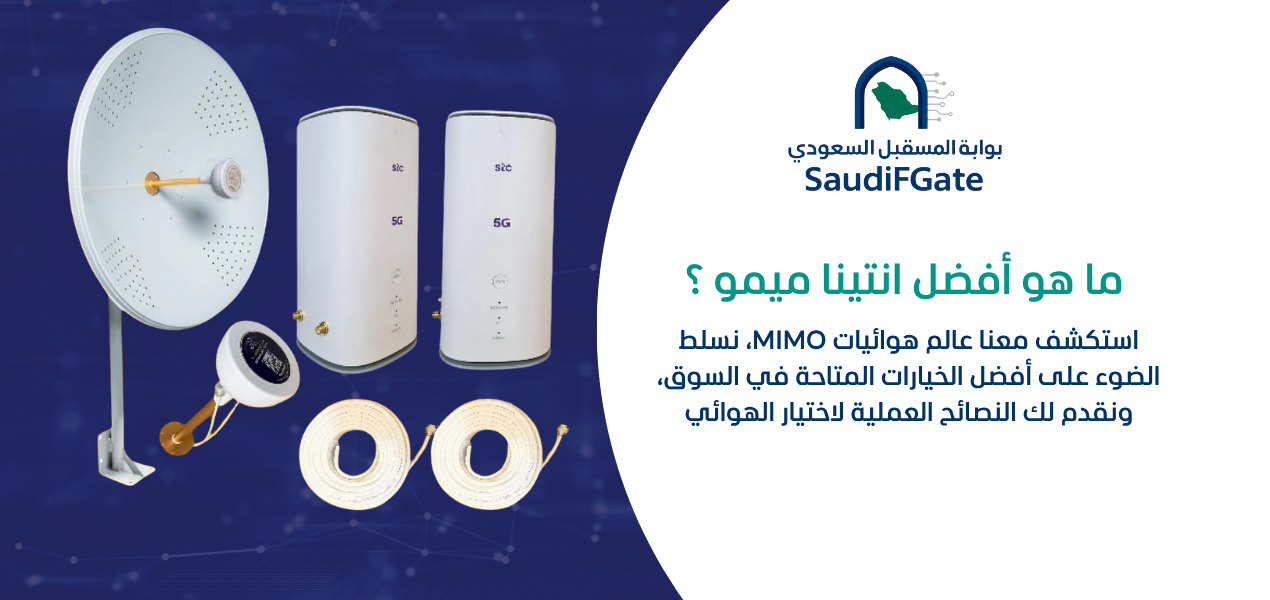
A compatible external antenna may improve reception when suitable cellular signals are available outside the building and the installation is correctly designed.
Its effectiveness depends on supported frequencies, antenna characteristics, cable losses, router compatibility, and the surrounding radio environment.
Is an external antenna always better than an indoor router?
No. An external antenna is not automatically beneficial in every location.
In some situations, relocating the existing router provides adequate improvement. In others, a properly designed outdoor cellular unit may offer a more appropriate solution.
Can an antenna improve mobile phone calls as well?
Not necessarily. An antenna connected to a cellular router primarily serves that router's radio connection.
Improving Wi-Fi coverage or router reception does not directly guarantee better native cellular reception on nearby phones.
Should I purchase a signal booster instead?
Do not assume a cellular signal booster is interchangeable with a passive antenna or outdoor router.
Active cellular repeaters and boosters may be subject to equipment approval and regulatory requirements. Confirm that any proposed device is permitted and suitable for use in Saudi Arabia before installation.
How Do I Install the Antenna?
Where should I mount an external 5G antenna?
Choose a location based on measured reception, a suitable mounting structure, safe access, and the antenna manufacturer's installation requirements.
The installation must account for weather exposure, grounding and surge protection where applicable, and safe separation from electrical hazards.
Should the antenna face the nearest mobile tower?
Not automatically. The nearest tower may not provide the most appropriate connection for your operator, supported bands, or network configuration.
Directional antennas should be aligned using reliable signal and performance measurements rather than assumptions about tower distance.
Can long antenna cables reduce performance?
Yes. Coaxial cable introduces signal loss, and the amount depends on its type, length, frequency, connectors, and installation quality.
A poorly designed cable run can offset the reception benefit of an outdoor antenna.
Can I install any antenna on a 5G router?
No. Antennas must be compatible with the router's supported frequencies, connectors, radio configuration, and manufacturer requirements.
Some routers do not support external cellular antennas. Others may use multiple antenna connections that must be handled correctly.

Should I Force My 5G Router to Stay on 5G?
Does every 5G router support a 5G-only setting?
No. Available network-selection settings vary by router hardware, firmware, operator configuration, and 5G deployment type.
A 5G-only option may be unavailable or inappropriate for some network architectures, particularly where 5G operation depends on LTE connectivity.
Will locking my router to 5G improve speed?
Not necessarily. Forcing a network mode does not improve the underlying radio environment.
If 5G coverage is unstable, restricting other connection options can lead to more interruptions rather than better performance.
Is 4G sometimes better than unstable 5G?
Yes. A reliable 4G connection may deliver a better practical experience than an unstable 5G connection, depending on the application and network conditions.
Compare connection stability, upload and download performance, latency, and packet loss before deciding which mode is more suitable.
Should I change the router's frequency bands manually?
Only when the router supports such settings and the changes are appropriate for the network and device.
Incorrect band selection can prevent connectivity or reduce performance. Preserve the original configuration and avoid unsupported firmware modifications.
Can Saudi Building Materials Weaken 5G Signals?
Does reinforced concrete affect 5G coverage?
Yes. Reinforced concrete can attenuate cellular signals, with the effect depending on thickness, reinforcement, frequency, and surrounding conditions.
Radio performance can vary substantially between rooms, even when they are relatively close together.
Can reflective windows weaken cellular reception?
Yes. Some window coatings contain conductive or metallic materials that can reduce radio transmission.
Therefore, a window-facing router may not always outperform one positioned near a different exterior wall.
Can nearby buildings block my 5G connection?
Buildings and other structures can obstruct or alter radio propagation.
However, cellular signals may also arrive through reflection and other propagation paths, so a direct visual path to a tower is not always essential.
Does the weather cause my router to switch networks?
Weather can influence radio conditions in some circumstances, but routine 5G-to-4G switching should not automatically be attributed to weather.
Check signal measurements, router logs, and operator network conditions before drawing conclusions.
| Environmental factor | Possible effect | Practical response |
|---|---|---|
| Reinforced concrete | Signal attenuation | Test alternative reception locations |
| Metal structures | Blocking and reflections | Adjust equipment placement |
| Coated glass | Reduced radio transmission | Compare different windows |
| Nearby buildings | Obstruction and multipath effects | Evaluate several directions |
| Indoor heat buildup | Potential equipment performance issues | Ensure suitable ventilation |
| Poor outdoor cable installation | Loss and reliability problems | Use appropriate materials and protection |
Why Does My 5G Router Perform Differently During the Day?
Can network congestion change throughout the day?
Yes. Cellular network load can vary as users connect and consume data at different times.
Compare performance across several periods while also recording signal conditions to identify whether slowdowns correlate with network usage.
Does congestion always cause switching to 4G?
No. Congestion can affect performance and network management, but switching may also result from radio coverage, network configuration, or equipment behavior.
How can I separate congestion from weak reception?
Compare signal measurements and connection behavior across locations and times.
If reception measurements remain relatively stable but throughput changes significantly, network load may be one possible explanation. It is not a conclusive diagnosis without further evidence.
Should I contact my mobile operator?
Yes, particularly if the connection has deteriorated suddenly across multiple devices or locations.
The operator may be able to check service issues, subscription settings, coverage limitations, or network maintenance affecting the connection.
How Can I Test My 5G Router Before Buying Equipment?
What should I record during a router signal test?
Record the current connection mode, radio measurements where available, test location, download and upload speeds, latency, and any disconnections.
Use a consistent test method and avoid simultaneous heavy internet activity when comparing positions.
Should I test the router with an Ethernet cable?
Yes, when a suitable Ethernet connection is available.
A wired test can help distinguish cellular internet performance from possible Wi-Fi interference or local wireless coverage issues.
How many locations should I compare?
Test several practical locations that differ meaningfully in exposure and obstructions.
There is no universal number of positions. The goal is to identify a location with consistently acceptable performance rather than a single unusually fast measurement.
Do I need to test upload speed too?
Yes. Upload performance matters for video meetings, cloud backups, security cameras, and sending large files.
A location that provides better download performance does not necessarily offer the best upload stability.
| Test | Purpose | What to compare |
|---|---|---|
| Network mode | Identify cellular connection behavior | 5G and 4G transitions |
| RSRP, RSRQ, SINR | Assess radio conditions | Changes between locations |
| Download performance | Assess incoming data transfer | Consistency across repeated tests |
| Upload performance | Assess outgoing data transfer | Stability during uploads |
| Latency | Assess responsiveness | Delay and variation |
| Packet loss | Detect transmission problems | Occurrence of lost packets |
| Ethernet versus Wi-Fi | Separate local wireless issues | Results using both connection methods |
| Different times of day | Identify time-dependent changes | Peak and quieter periods |

Should I Replace My 5G Router or Improve Its Reception?
How do I know whether the router is the problem?
Check whether the router is overheating, restarting, reporting hardware faults, or performing inconsistently under otherwise similar network conditions.
Review the manufacturer's diagnostic information and supported firmware updates before deciding that replacement is necessary.
Can a newer router improve 5G stability?
Potentially, if it supports the required operator bands, network features, and radio capabilities more effectively.
However, equipment replacement cannot guarantee improved reception where coverage itself is inadequate.
Should I buy an outdoor 5G router?
An outdoor cellular router may be suitable when reception is materially better outside and installation conditions allow it.
Compare weather protection, power requirements, cable connections, network compatibility, mounting safety, and the indoor Wi-Fi distribution plan.
Can I keep my current router and add an antenna?
Possibly, if the router supports compatible external cellular antennas and the proposed installation provides a measurable benefit.
Verify compatibility using the exact device model and its official specifications.
How Do I Prevent Wi-Fi Problems From Being Mistaken for 5G Problems?
Is weak Wi-Fi the same as weak 5G reception?
No. The cellular connection links the router to the mobile network, while Wi-Fi connects nearby devices to the router.
Either connection can be responsible for poor internet performance, and they require different troubleshooting methods.
Why is my Wi-Fi strong but my internet slow?
A strong Wi-Fi signal only indicates that your device has a good local wireless connection.
The cellular internet connection, operator network, available bandwidth, or other factors may still limit overall performance.
Can a Wi-Fi extender stop my router switching to 4G?
No. A Wi-Fi extender improves local wireless coverage under suitable conditions but does not directly improve the router's cellular radio reception.
How do I test whether Wi-Fi is causing the slowdown?
Compare performance using a wired connection where available and a nearby Wi-Fi device under similar conditions.
If wired performance is substantially better, investigate local Wi-Fi settings, interference, and device connectivity before changing the cellular installation.
What Mistakes Should I Avoid When Troubleshooting 5G Routers?
Should I trust a single speed test?
No. A single test may be influenced by temporary network load, server selection, or background traffic.
Should I buy an antenna without checking compatibility?
No. Confirm supported bands, connectors, antenna ports, and installation requirements first.
Should I force unsupported network bands?
No. Unsupported configuration changes can reduce service availability or prevent the router from connecting.
Should I install outdoor equipment near electrical lines?
No. Installation must respect electrical clearances and appropriate safety requirements. Unsafe mounting should never be attempted.
Should I place my router in direct sunlight?
Avoid exposing indoor equipment to temperatures or conditions outside its rated operating limits.
Should I assume 5G always beats 4G?
No. Choose based on measured performance and reliability rather than the network label alone.
What Checklist Should I Follow Before Changing My 5G Setup?
What should I inspect before requesting assistance?
Confirm the exact router model and service conditions, then document the switching behavior and signal measurements.
- ☐ Identify the router's exact model.
- ☐ Confirm the mobile operator and subscription status.
- ☐ Check the current 5G and 4G connection modes.
- ☐ Record available RSRP, RSRQ, and SINR measurements.
- ☐ Test multiple safe indoor locations.
- ☐ Compare reception near different exterior-facing windows.
- ☐ Check equipment temperature and ventilation.
- ☐ Compare wired and Wi-Fi performance where possible.
- ☐ Test download and upload performance.
- ☐ Review latency and packet loss.
- ☐ Repeat measurements at different times.
- ☐ Check supported firmware and network settings.
- ☐ Verify external antenna compatibility before purchasing.
- ☐ Consider outdoor reception only where safe and appropriate.
- ☐ Confirm applicable installation and equipment regulations.
- ☐ Contact the operator if a network-side issue is suspected.
How Can Future Networks Help Improve My 5G Connection?
Can I choose networking equipment based on my location?
Yes. Suitable equipment selection should account for the existing cellular service, router compatibility, building environment, and intended use.
Different locations may benefit from better device placement, a compatible antenna solution, or another type of network equipment.
Can Future Networks help me understand antenna options?
You can contact Future Networks to discuss networking equipment and external antenna requirements for your particular router and installation.
Provide the exact router model and describe the current connection problem so the available options can be assessed more accurately.
Where can I find 5G networking equipment in Saudi Arabia?
Visit the official Future Networks website to explore networking products and contact the store about suitable connectivity equipment.

What Are the Most Frequently Asked Questions About 5G Routers Switching to 4G?
1. Why does my 5G router keep switching to 4G?
It may be responding to weak 5G reception, changing radio conditions, operator network behavior, or router settings. Check signal measurements and connection stability before changing equipment.
2. How do I stop my 5G router switching to 4G?
Improve reception where possible, verify router compatibility and settings, and investigate network conditions. Forcing 5G-only mode is not always supported or advisable.
3. How do I make my internet strong?
Test router placement, check cellular signal quality, reduce local Wi-Fi problems, and choose suitable networking equipment based on measurements.
4. How do I boost my mobile signal?
Identify whether the problem affects the router's cellular connection or a phone. A compatible external antenna or outdoor cellular unit may help the router in suitable circumstances.
5. How do I install the antenna?
Verify router compatibility, select a safe mounting position, assess cable losses, and align directional equipment using actual signal measurements.
6. Is 4G more stable than 5G?
It can be in some locations. Stability depends on coverage, interference, network configuration, and capacity rather than the generation label alone.
7. Can a 5G antenna improve my router's speed?
It may improve performance when it provides better radio conditions, but no particular speed increase can be guaranteed.
8. Does moving the router near a window help?
Sometimes. Compare different positions because building materials and signal direction can influence reception.
9. Should I replace my router if it keeps switching networks?
Not automatically. First check signal quality, network availability, temperature, firmware, and device compatibility.
10. Can I use a 5G router in Saudi homes with thick concrete walls?
Yes, but reception may be reduced indoors. Appropriate placement or compatible external reception equipment may improve connectivity.
How Do I Choose the Best Long-Term Solution for Unstable 5G?
Should I prioritize signal strength or real-world performance?
Prioritize reliable performance while using signal measurements to understand the connection.
A slightly different radio measurement may be acceptable if the connection provides better stability, lower latency, and consistent throughput for the intended applications.
When should I consider professional installation?
Consider professional assistance when troubleshooting requires rooftop access, outdoor antenna mounting, electrical protection, complicated cable routing, or specialized radio measurements.
Professional installation should follow the relevant safety requirements and device manufacturer instructions.
What information should I send before requesting a solution?
Share the router model, operator, general service area, screenshots of available radio measurements, and a brief description of where and when switching occurs.
This helps distinguish an equipment-compatibility issue from a coverage or installation problem without making unsupported promises about results.
What Is the Best Fix When My 5G Router Keeps Switching to 4G?
If your 5G router keeps switching to 4G, the most effective starting point is a structured diagnosis rather than immediately purchasing a new router or antenna. Confirm the current radio conditions, compare suitable locations, check equipment compatibility, and evaluate actual internet stability.
Where reception is limited by the building, a compatible external antenna or outdoor cellular solution may be worth assessing. Where the issue originates from the mobile network or service configuration, changing indoor Wi-Fi equipment is unlikely to solve it.
Future Networks provides networking products and equipment options for customers in Saudi Arabia who want to improve their connectivity setup. Contact the store with your device details to discuss an appropriate solution.