


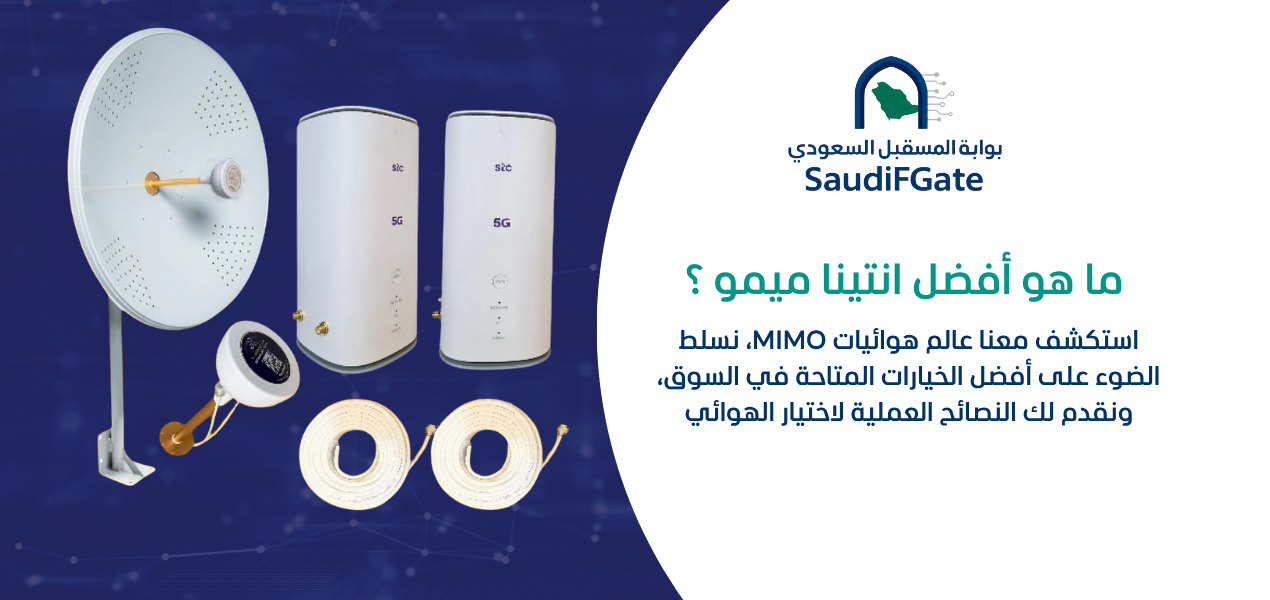

5G internet slow during peak hours is often caused by network congestion, when many users share available cellular network resources simultaneously. Other contributing factors include signal interference, limited network capacity, router configuration, and local Wi-Fi congestion. Identifying the underlying cause through scheduled speed tests and signal measurements helps determine whether an antenna, router adjustment, or alternative connection may improve performance.
Many households in Saudi Arabia rely on cellular internet for streaming, gaming, remote work, online education, and connected home devices. When several households use internet services simultaneously, available network resources may become more heavily utilized.
If your internet performs well in the morning but becomes noticeably slower during the evening, replacing your router immediately may not solve the problem. The first step is understanding where the performance limitation occurs.
Future Networks provides networking and cellular internet reception solutions designed around equipment compatibility, signal conditions, and the technical requirements of each location.
 Call Now
 WhatsApp
What Causes 5G Internet to Slow Down During Peak Hours?
What is mobile network congestion?
Mobile network congestion occurs when demand for cellular network resources becomes high relative to the capacity available to connected users.
Cellular networks distribute radio resources among devices according to network conditions, scheduling decisions, service configurations, and available capacity.
When demand increases substantially, individual users may experience lower throughput, increased latency, or less consistent performance.
Why does internet speed become slower in the evening?
Evening slowdowns may occur when more households simultaneously use internet services for entertainment, gaming, communication, and other activities.
However, peak usage periods vary by neighborhood, network operator, serving cell, and local demand patterns. There is no universal evening congestion schedule applicable to every location in Saudi Arabia.
Can a 5G network become congested even with modern technology?
Yes. Although 5G technology can provide substantial network capacity, that capacity remains dependent on available spectrum, network infrastructure, radio conditions, and the number and activity of connected users.
Having a 5G connection does not guarantee that maximum speeds will remain available throughout the day.
| Possible Cause | Typical Performance Pattern | Appropriate Investigation |
|---|---|---|
| Cellular network congestion | Performance declines during recurring busy periods | Compare scheduled tests and cellular signal measurements |
| Weak cellular reception | Low or inconsistent performance at different times | Evaluate router placement and reception conditions |
| Radio interference | Unstable throughput despite apparently strong reception | Review signal quality and interference indicators |
| Local Wi-Fi congestion | Wireless devices perform worse than wired devices | Compare Ethernet and Wi-Fi connections |
| Household bandwidth demand | Performance declines when multiple devices are active | Review connected devices and simultaneous usage |
| Network backhaul limitations | Reduced throughput despite acceptable cellular reception | Investigate recurring patterns and operator service conditions |
How Do I Know Whether My 5G Network Is Congested?
How can I identify recurring peak-hour slowdowns?
Perform internet speed tests at several times of the day using the same device, connection method, and test server whenever practical.
Compare morning, afternoon, evening, and late-night results over several days to identify recurring performance patterns.
Does strong signal with low internet speed indicate congestion?
It may indicate congestion, but strong received signal power alone does not establish the cause of reduced throughput.
Signal quality, interference, network scheduling, backhaul capacity, local traffic, and service conditions must also be considered.
Should I test my internet using an Ethernet cable?
Yes, when your router supports Ethernet connections. A wired test can help reduce the influence of local wireless interference and Wi-Fi coverage problems.
Testing directly through Ethernet makes it easier to distinguish cellular internet limitations from problems affecting the household wireless network.
When Should I Test My Internet Speed to Identify Congestion?
Should I test the internet only when it becomes slow?
No. Testing only during poor performance provides limited information because there is no reliable baseline for comparison.
Include tests during periods when the connection normally performs well and during periods when slowdowns typically occur.
What is a practical daily internet testing schedule?
A useful starting point is to perform tests across several periods of the day, adapting the schedule to the household's actual experience.
| Illustrative Test Time | Measurements to Record | Purpose |
|---|---|---|
| 7:00 AM | Download, upload, latency, cellular signal | Establish an early-morning comparison |
| 12:00 PM | Download, upload, latency, cellular signal | Assess midday performance |
| 5:00 PM | Download, upload, latency, cellular signal | Identify possible changes in network demand |
| 9:00 PM | Download, upload, latency, cellular signal | Investigate reported evening slowdowns |
| 12:00 AM | Download, upload, latency, cellular signal | Check whether performance recovers later |
These times are suggested testing periods, not verified congestion hours for any particular Saudi telecommunications operator.
How many days should I monitor my connection?
Testing across several days, including different working days and weekends, can provide a more representative picture than relying on a single test.
Record any unusual events, changes in router settings, or significant household internet activity that could influence the results.
How Do I Distinguish Network Congestion From Weak Signal?
What is RSRP in a 5G router?
Reference Signal Received Power, or RSRP, indicates the received power of relevant cellular reference signals.
It helps assess reception conditions but does not independently determine the throughput available to the user.
What is RSRQ and why does it matter?
Reference Signal Received Quality, or RSRQ, provides information about reference signal quality relative to received power conditions.
Changes in RSRQ may reflect changing radio conditions, interference, and other network-related factors.
What is SINR in cellular networking?
Signal-to-Interference-plus-Noise Ratio, or SINR, describes the relationship between the useful signal and interference plus noise.
Better SINR conditions can support more efficient data transmission, although actual performance also depends on network resource availability and device capabilities.
Which signal measurement confirms network congestion?
No single signal measurement conclusively confirms network congestion.
Diagnosis requires comparing signal measurements, throughput, latency, serving cell information, local network performance, and recurring usage patterns.
| Measurement Pattern | Possible Interpretation | Recommended Next Step |
|---|---|---|
| Stable reception with recurring evening slowdowns | Possible network capacity or demand limitation | Compare results across several days |
| Weak RSRP throughout the day | Potential reception limitation | Evaluate alternative router or antenna locations |
| Changing SINR with unstable throughput | Possible interference or changing radio conditions | Investigate reception position and serving cell |
| Ethernet performs well but Wi-Fi performs poorly | Possible local wireless network problem | Review Wi-Fi coverage and channel conditions |
| Performance changes when serving cells change | Different cell conditions or available resources | Compare cell information and performance consistently |
| Latency increases during household downloads | Possible local bandwidth saturation or queueing | Review household traffic and router traffic management |

Can an External Antenna Fix 5G Network Congestion?
Will an external antenna increase mobile tower capacity?
No. An external antenna does not create additional spectrum, increase the operator's network capacity, or guarantee access to more radio resources.
Its primary function is to improve or change the reception conditions experienced by compatible equipment.
When can an external antenna help during peak hours?
An external antenna may help when poor signal quality, indoor attenuation, interference, or unfavorable reception conditions contribute to reduced performance.
In some locations, appropriate antenna positioning may also improve reception from a different suitable cell, depending on network behavior and available coverage.
Can a directional antenna help me receive a different cellular tower?
A directional antenna can favor reception from particular directions, but it does not guarantee connection to a specific tower or cell.
The serving cell is determined by several factors, including network configuration, radio conditions, supported frequency bands, and device behavior.
When is buying an external antenna unlikely to solve the problem?
When the primary limitation is insufficient network capacity and reception conditions are already favorable, an external antenna may provide little or no meaningful improvement during congested periods.
A technical assessment is therefore advisable before purchasing additional equipment.
How Do I Install the Antenna?
Where should an external cellular antenna be installed?
The antenna should be installed in a location that provides suitable reception, safe mounting conditions, and an appropriate connection path to compatible equipment.
In Saudi residential properties, rooftops and suitable exterior walls may provide useful installation locations, depending on building design and nearby obstructions.
How do I choose the correct antenna direction?
Evaluate reception and connection performance across suitable directions while recording cellular signal measurements and serving cell information.
For directional antennas, final alignment should consider signal quality and repeatable performance rather than received power alone.
Does the antenna need to support MIMO?
Multiple-Input Multiple-Output, or MIMO, uses multiple signal paths to support cellular communication and potentially improve performance under suitable conditions.
The antenna configuration must match the router's supported antenna connections, frequency bands, and manufacturer requirements.
How do I reduce signal loss between the antenna and router?
Use compatible, appropriately specified cables and connectors, and avoid unnecessarily long cable runs.
Signal loss varies with cable type, cable length, connector quality, and operating frequency.
Outdoor installation, rooftop access, weatherproofing, mounting, and electrical protection should be handled by qualified personnel where necessary.

How Do I Make My Internet Strong?
What is the first step to improve internet stability?
Identify whether the performance limitation originates from the cellular connection, the router, the local Wi-Fi network, or simultaneous household internet usage.
Without identifying the source of the problem, equipment replacement may increase costs without delivering the expected improvement.
Can moving my 5G router improve internet performance?
Yes, changing router placement may improve reception when walls, windows, building materials, or nearby obstacles affect cellular signal conditions.
Compare several suitable locations using consistent tests before selecting a permanent position.
Should I use Ethernet instead of Wi-Fi?
Ethernet is often useful for stationary devices that require consistent local connectivity, such as desktop computers, gaming consoles, and smart televisions.
However, Ethernet cannot remove congestion affecting the cellular network connection itself.
Can a better router solve evening internet slowdowns?
A different router may help when the current device has relevant hardware, compatibility, configuration, or local networking limitations.
If the cellular network lacks available capacity during busy periods, replacing the router may not provide a substantial improvement.
How Do I Boost My Mobile Signal?
How can I improve mobile reception inside my home?
Start by identifying locations with better cellular reception, particularly where building materials and structural barriers have less influence on the received signal.
Compare relevant network conditions across rooms and different suitable locations before selecting a technical solution.
Does a 5G router antenna improve mobile phone reception?
No. An external antenna connected to a compatible router improves the reception conditions of that router, rather than automatically amplifying cellular signals for nearby mobile phones.
Can Wi-Fi calling help when mobile reception is weak?
Wi-Fi calling may help supported devices and subscriptions make calls through a suitable internet connection when the feature is available and configured correctly.
Its effectiveness depends on device compatibility, operator support, and the quality of the internet connection.
Can I install a cellular signal booster at home?
Cellular repeaters and signal amplification equipment require careful compatibility and regulatory assessment because unsuitable installations can interfere with mobile networks.
Any proposed cellular amplification solution should comply with applicable Saudi requirements and be evaluated by qualified specialists.
Can Changing 5G Frequency Bands Improve Peak-Hour Internet?
Why do cellular frequency bands perform differently?
Different frequency bands have different propagation characteristics, available bandwidth, interference conditions, and network deployments.
As a result, one band may provide better performance than another at a particular location and time.
Should I manually lock my router to a frequency band?
Manual band selection may be useful for controlled troubleshooting when the router officially supports it, but automatic network selection is often appropriate for normal use.
Restricting available bands can reduce access to useful network resources or prevent supported carrier aggregation combinations.
Can locking to a less busy band improve internet speed?
It may help in some circumstances, but the result depends on actual network deployment, signal conditions, device compatibility, and available resources.
There is no universal frequency band that guarantees the highest speed throughout Saudi Arabia.
What is carrier aggregation?
Carrier aggregation combines compatible radio carriers to support data transmission using additional available bandwidth when supported by the device and network.
Its performance depends on the specific configuration and resources available to the connection.
| Router or Network Option | Potential Benefit | Important Limitation |
|---|---|---|
| Automatic band selection | Allows supported network adaptation | May not always deliver the best short-term test result |
| Manual band selection | Supports controlled performance comparisons | May reduce available network combinations |
| Carrier aggregation | Can combine compatible radio resources | Depends on network and equipment support |
| Directional MIMO antenna | May improve reception from suitable directions | Cannot guarantee a particular serving cell |
| Alternative network operator | May provide access to different infrastructure or resources | Performance must be tested at the actual location |
Why Does My Internet Become Slow When Everyone Is at Home?
Can too many connected devices slow down home internet?
Yes. Multiple devices using substantial amounts of bandwidth simultaneously can create contention within the household network or saturate the available internet connection.
Video streaming, cloud backups, large downloads, software updates, and online gaming can create different traffic demands.
Does every connected device consume the same amount of internet capacity?
No. An idle connected device may use relatively little data, while an active high-resolution streaming device or large download can consume considerably more available throughput.
Actual demand depends on the applications and activities running on each device.
Can Quality of Service settings help during busy periods?
Quality of Service, or QoS, can help compatible routers manage traffic priorities and reduce some problems caused by competition between local applications.
Advanced queue management may also help reduce latency increases caused by saturating the connection.
These features do not create additional cellular network capacity, and their effectiveness depends on router implementation and configuration.

Why Does My Wi-Fi Become Slow in the Evening?
Can neighboring Wi-Fi networks affect my internet performance?
Yes. Nearby wireless networks operating on shared or overlapping radio channels may contribute to contention and interference, particularly in densely populated buildings or neighborhoods.
What is the difference between cellular 5G and 5 GHz Wi-Fi?
Cellular 5G is a generation of mobile communications technology, while 5 GHz Wi-Fi refers to a frequency band used by local wireless networks.
A router may use a 5G cellular connection to access the internet and distribute that connection through several supported Wi-Fi frequency bands.
Should I change my Wi-Fi channel?
Changing Wi-Fi channel settings may help when local wireless channel conditions are contributing to reduced performance.
The appropriate configuration depends on the router, connected devices, nearby networks, supported frequency bands, and applicable channel availability.
Can a mesh Wi-Fi system solve mobile network congestion?
No. A mesh Wi-Fi system can improve local wireless coverage and connectivity, but it cannot independently increase the capacity of a congested cellular internet connection.
How Can I Reduce Gaming Latency During Peak Internet Hours?
Why does my ping increase at night?
Increased gaming latency may result from cellular network congestion, local bandwidth saturation, Wi-Fi interference, routing conditions, or game server demand.
Comparing measurements to multiple destinations can help distinguish general connection problems from issues affecting a particular application.
Is high download speed enough for online gaming?
No. Online gaming performance also depends on latency, jitter, packet loss, and connection stability.
A connection with high download throughput can still provide an inconsistent gaming experience if latency fluctuates significantly.
Does Ethernet reduce gaming latency?
Ethernet may reduce local wireless variability and improve connection consistency between the gaming device and router.
It does not eliminate delays originating from the cellular network, internet routing, or remote servers.
| Gaming Metric | What It Measures | Why It Matters |
|---|---|---|
| Latency | Communication delay between network endpoints | Affects responsiveness during gameplay |
| Jitter | Variation in network delay | Can contribute to inconsistent real-time performance |
| Packet loss | Data packets that fail to reach their destination | May cause interruptions and synchronization problems |
| Download throughput | Available capacity for receiving data | Influences downloads and simultaneous internet use |
| Upload throughput | Available capacity for sending data | Supports outgoing traffic and real-time communication |
| Latency under load | Delay while the connection is carrying substantial traffic | Helps identify bandwidth saturation and queueing problems |
Should I Change My Internet Provider If 5G Is Slow at Night?
Can another Saudi mobile operator provide better peak-hour performance?
Potentially. Different operators may have different coverage, spectrum deployments, network capacity, and infrastructure arrangements at a particular location.
However, performance should be tested rather than assumed from general coverage information or advertised maximum speeds.
How should I compare mobile internet providers?
Compare suitable services using compatible equipment at the same location and during the periods when reliable performance matters most.
Review download speed, upload speed, latency, connection stability, service conditions, and relevant subscription limitations.
Should I test another SIM card before switching providers?
Where permitted and compatible with the equipment, testing another suitable subscription can help evaluate alternative reception and performance conditions before making a longer-term decision.
Different subscription configurations may also influence the comparison, so record the relevant service conditions.
Is Fiber Internet Better Than 5G During Peak Hours?
Does fiber internet experience congestion?
Fiber networks can also experience congestion because performance depends on network design, shared infrastructure, service configuration, and upstream capacity.
Nevertheless, fiber does not depend on the same cellular radio reception conditions that affect wireless home internet.
Should I switch to fiber if cellular congestion continues?
If suitable fiber service is available, it may be worth evaluating when recurring cellular performance limitations affect important household or business activities.
Compare actual service availability, technical performance, reliability, subscription conditions, and installation requirements.
Can I use both fiber and 5G internet at home?
Compatible multi-WAN networking equipment may allow households or businesses to use multiple internet connections for backup connectivity or selected traffic distribution.
The available functionality depends on router capabilities and configuration.
| Internet Solution | Main Advantage | Potential Limitation |
|---|---|---|
| Indoor 5G router | Convenient installation where cellular reception is suitable | Indoor attenuation and variable network demand |
| 5G router with external antenna | Potential improvement in cellular reception conditions | Does not directly increase operator capacity |
| Outdoor cellular router | May provide better reception and reduce some signal cable losses | Requires suitable outdoor equipment and installation |
| Fiber internet | Avoids dependence on cellular radio reception | Availability and performance depend on local service infrastructure |
| Dual internet connections | Can improve connectivity resilience with suitable configuration | Additional equipment, subscription, and management requirements |
What Mistakes Should I Avoid When My 5G Internet Slows Down?
Is replacing the router immediately a mistake?
Replacing equipment before identifying the primary performance limitation can lead to unnecessary expenditure.
A router upgrade should address a demonstrated equipment or compatibility limitation rather than simply responding to one poor speed test.
Should I buy the antenna with the highest advertised gain?
No. Advertised gain alone does not determine antenna suitability.
Frequency coverage, radiation characteristics, compatibility, MIMO configuration, cable losses, installation conditions, and reception requirements must also be evaluated.
What are the most common troubleshooting mistakes?
- Assuming every evening slowdown is caused by network congestion.
- Replacing the router before collecting performance measurements.
- Relying entirely on the number of displayed signal bars.
- Comparing wired and wireless tests without considering connection differences.
- Testing only once during a busy period.
- Changing several router settings simultaneously.
- Purchasing an antenna without checking supported frequency bands.
- Expecting an external antenna to increase cellular tower capacity.
- Ignoring interference and contention within the home Wi-Fi network.
- Restricting router frequency bands without controlled comparisons.
- Comparing different operators only during quiet periods.
- Using unauthorized cellular signal amplification equipment.
- Ignoring upload performance, latency, and packet loss.
- Expecting advertised maximum speeds to remain available continuously.
How Do I Troubleshoot Slow 5G Internet Step by Step?
What should I check before buying new networking equipment?
Begin with a consistent set of performance measurements that helps identify whether the issue originates from cellular reception, network capacity, local wireless conditions, or household traffic.
What should my 5G troubleshooting checklist include?
- Identify the periods when internet performance becomes noticeably worse.
- Record the current router model and mobile network operator.
- Document the router's existing network configuration.
- Perform direct Ethernet speed tests when supported.
- Compare Ethernet performance with Wi-Fi performance.
- Record download and upload throughput.
- Measure latency and packet loss where practical.
- Record available RSRP, RSRQ, and SINR measurements.
- Document serving cell and frequency information when available.
- Repeat tests during different periods over several days.
- Review active household devices and bandwidth-intensive applications.
- Evaluate suitable alternative router positions.
- Check whether the operator reports service problems.
- Assess external antenna compatibility when reception improvement is needed.
- Evaluate alternative internet services if capacity limitations persist.
When should I request professional network assistance?
Request technical assistance when recurring slowdowns cannot be explained through basic testing, when reception conditions appear unsuitable, or when outdoor antenna installation and equipment compatibility require specialist evaluation.

What Are the Frequently Asked Questions About Slow 5G Internet?
1. Why is my 5G internet slow during peak hours?
Possible causes include network congestion, limited radio resources, interference, poor reception conditions, local Wi-Fi congestion, and simultaneous household bandwidth demand.
2. Why is my internet fast in the morning but slow at night?
Recurring evening slowdowns may indicate increased network demand or changes in household usage. Consistent measurements are needed to determine the likely cause.
3. Can an external antenna fix network congestion?
An external antenna cannot directly increase network capacity. It may improve reception conditions when signal limitations contribute to poor performance.
4. Why do I have full 5G signal bars but slow internet?
Signal bars do not fully represent interference, available network resources, backhaul capacity, or local network performance. Strong reception does not guarantee high throughput.
5. Will upgrading my 5G router improve evening speeds?
It may help if the existing router has relevant equipment or compatibility limitations. It may provide little improvement when network capacity is the main problem.
6. How do I make my internet strong without changing providers?
Evaluate router placement, cellular reception, antenna compatibility, local Wi-Fi coverage, and household traffic management before considering a provider change.
7. Does network congestion increase gaming ping?
Network congestion can increase latency and variability, although local bandwidth saturation, routing conditions, and game server performance may also contribute.
8. Is 4G sometimes faster than 5G during busy hours?
Yes, under certain network conditions. Performance depends on available resources, frequency configuration, reception quality, and network demand rather than the network generation alone.
9. Can a mesh Wi-Fi system improve my slow 5G connection?
A mesh system may improve local wireless coverage, but it cannot independently remove congestion affecting the cellular internet connection.
10. How much does it cost to improve 5G reception in Riyadh?
The cost depends on existing equipment, antenna compatibility, reception conditions, installation requirements, and the technical solution selected. Request an assessment and quotation based on your location.
How Can Future Networks Help Improve My 5G Internet?
Can Future Networks help identify reception-related internet problems?
Future Networks can help customers discuss their existing networking equipment, reception requirements, and available antenna or router solutions based on the conditions of their location.
What information should I provide before requesting assistance?
Prepare the following information to support an initial technical discussion:
- Your city and neighborhood in Saudi Arabia.
- Your current mobile network operator.
- The exact model of your 5G router.
- The periods when internet performance becomes slower.
- Speed test results from different times of the day.
- Available RSRP, RSRQ, and SINR measurements.
- Information about your existing external antenna, if applicable.
- Whether the problem affects Ethernet, Wi-Fi, or both.
- Your main internet usage requirements.
Should I request an antenna installation or router assessment first?
Start with an assessment of reception conditions and existing equipment. The appropriate solution may involve router placement, compatible external antennas, outdoor networking equipment, local network improvements, or evaluating alternative connectivity options.
Conclusion: If you experience 5G internet slow during peak hours, the most effective approach is to identify the underlying performance limitation before purchasing additional equipment. Consistent speed tests, signal measurements, Ethernet comparisons, and household traffic analysis help distinguish cellular network congestion from reception and local networking problems. Future Networks can help you explore suitable reception and networking solutions based on your actual requirements in Saudi Arabia.