


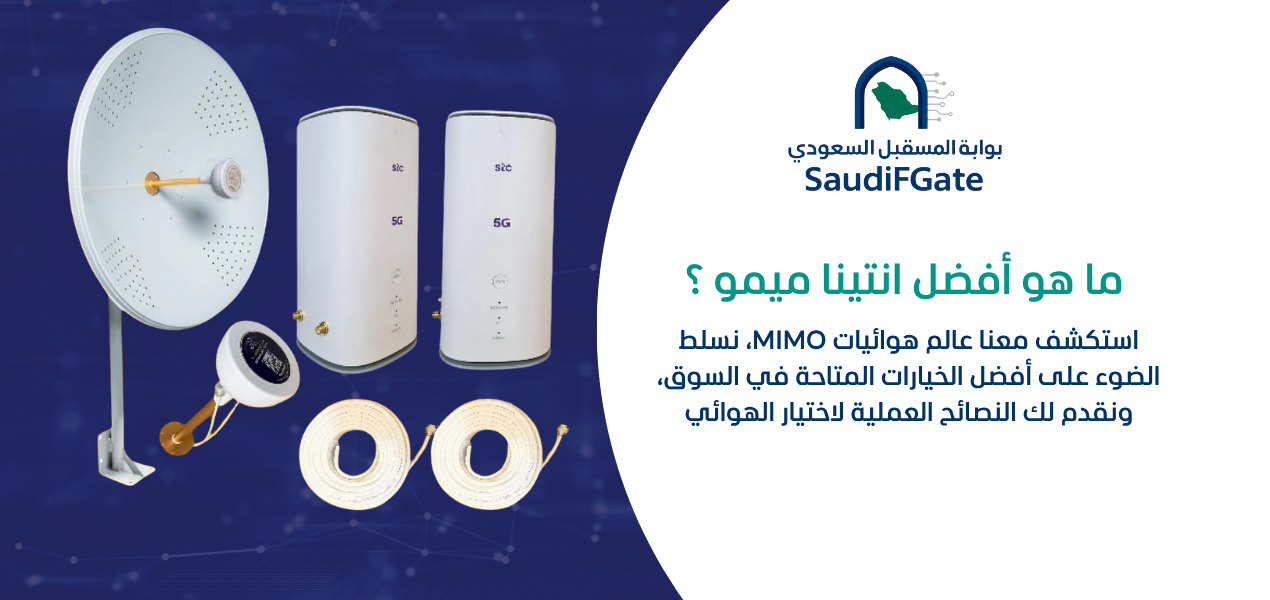

To fix Wi-Fi interference in your apartment, identify nearby wireless networks, select a less congested channel, and configure an appropriate channel width. Separate compatible devices across available frequency bands, eliminate avoidable interference sources, and compare wireless performance against a wired connection to confirm whether local radio interference is responsible for the problem.
Apartment buildings in Riyadh and other Saudi cities often contain numerous wireless networks operating close to one another. Even when an internet subscription provides sufficient bandwidth, overlapping wireless activity can reduce the performance experienced by individual devices.
Unlike problems caused by weak cellular reception or insufficient internet coverage, Wi-Fi interference requires an assessment of the local wireless environment and the way available radio frequencies are shared.
This guide from Future Networks focuses specifically on wireless channel interference, channel width configuration, competing radio signals, and spectrum management in residential apartments.
 Call Now
 WhatsApp
What Causes Wi-Fi Interference in Apartments?
Can neighboring Wi-Fi networks affect my connection?
Yes. Nearby wireless networks operating on the same or overlapping channels can compete for available radio resources and affect the performance of your connection.
Wireless devices share transmission opportunities. When many devices compete within the same radio environment, they may need to wait longer before transmitting data.
This can increase latency, reduce effective throughput, and cause inconsistent performance.
Does Wi-Fi interference mean someone is using my internet?
No. Neighboring wireless networks can affect radio performance without being connected to your router or using your internet subscription.
Wireless interference and unauthorized network access are different problems and require different diagnostic procedures.
Can interference occur even when my signal is strong?
Yes. A device can receive a strong signal from its own router while still experiencing interference, congestion, or transmission delays caused by other nearby wireless activity.
Signal strength alone is therefore not sufficient to determine overall wireless connection quality.
How Do I Know Whether My Wi-Fi Has Interference?
What are the common symptoms of wireless interference?
Common symptoms include inconsistent wireless speeds, unexpected latency increases, unstable local connections, and reduced performance when surrounding wireless activity increases.
These symptoms are not unique to interference, so additional testing is necessary before identifying the cause.
How can I separate Wi-Fi interference from internet problems?
Compare the performance of a device connected through Ethernet with a wireless device using the same internet connection under comparable conditions.
If wired performance remains stable while wireless performance becomes inconsistent, the local wireless environment may require further investigation.
What information should I collect before changing router settings?
Record the frequency band, wireless channel, channel width, signal quality, connected device type, and observed performance at different times.
| Observed Symptom | Possible Cause | Diagnostic Test | Potential Next Action |
|---|---|---|---|
| Strong signal with inconsistent speed | Wireless channel congestion | Review nearby wireless activity | Evaluate alternative channels |
| Stable wired connection but unstable Wi-Fi | Local wireless problem | Compare Ethernet and wireless performance | Investigate the radio environment |
| Only one frequency band performs poorly | Band-specific interference | Compare available frequency bands | Review channel and device configuration |
| Performance changes during appliance operation | Possible non-Wi-Fi interference | Compare performance during normal appliance use | Increase separation where appropriate |
| Both wired and wireless connections are slow | Internet service or network equipment limitation | Test the primary connection | Investigate the internet source |
| Only one device experiences problems | Device-specific compatibility or configuration issue | Compare with another compatible device | Review the affected device |
| Nearby networks use overlapping channels | Adjacent-channel interference | Review wireless channel distribution | Select a more suitable channel configuration |
What Is the Difference Between Wi-Fi Congestion and Interference?
What is co-channel contention?
Co-channel contention occurs when multiple Wi-Fi networks or devices operate on the same channel and compete for transmission opportunities.
Compatible Wi-Fi devices may coordinate access to the shared channel, but heavy activity can still reduce the time available for each network.
What is adjacent-channel interference?
Adjacent-channel interference can occur when transmissions operating on overlapping or insufficiently separated channels affect one another.
This is particularly relevant when configuring wireless channels in crowded frequency bands.
What is non-Wi-Fi interference?
Non-Wi-Fi interference comes from other equipment emitting radio energy within or near frequencies used by wireless networks.
Ordinary Wi-Fi scanning applications may not identify these sources because they generally detect Wi-Fi network transmissions rather than every type of radio emission.
| Wireless Problem | Description | Potential Effect | Diagnostic Approach |
|---|---|---|---|
| Co-channel contention | Multiple networks sharing one channel | Reduced available transmission time | Review channel activity and utilization |
| Adjacent-channel interference | Overlapping radio transmissions | Transmission errors and reduced performance | Evaluate channel separation and width |
| Non-Wi-Fi interference | Radio emissions from other equipment | Unexpected wireless disruption | Use appropriate spectrum analysis |
| Internal airtime congestion | Heavy activity from devices on the same network | Higher latency and limited shared capacity | Review connected device activity |
| Weak signal conditions | Insufficient received signal quality | Lower transmission rates or disconnections | Measure signal strength and quality |
How Do I Scan Wi-Fi Channels in My Apartment?
What is a Wi-Fi analyzer?
A Wi-Fi analyzer is a software tool or dedicated device that helps identify nearby wireless networks, operating channels, and selected signal characteristics.
Available measurements depend on the device, operating system, application permissions, and supported wireless hardware.
Where should I perform wireless channel scans?
Perform scans in the rooms where connection problems occur and near the wireless equipment to understand how the local radio environment changes across the apartment.
Repeat measurements at different times because neighboring network activity may change throughout the day.
Does a Wi-Fi analyzer show every interference source?
No. A conventional Wi-Fi analyzer primarily identifies wireless networks and related information. Dedicated radio spectrum analysis equipment may be necessary to investigate non-Wi-Fi interference.

What Is the Best Wi-Fi Channel for an Apartment?
Which 2.4 GHz channels should I consider?
Channels 1, 6, and 11 are commonly used as a practical non-overlapping channel plan when operating with 20 MHz channel widths in the 2.4 GHz band.
However, the best available channel depends on local wireless activity, regional settings, supported equipment, and the surrounding radio environment.
Is the channel with the fewest networks always the best?
No. The number of visible networks does not directly indicate how much radio airtime they are consuming.
One heavily utilized network may cause more contention than several nearby networks carrying very little traffic.
Should I use automatic or manual channel selection?
Automatic channel selection can be useful when the router has effective environmental scanning and channel management capabilities.
Manual selection may be appropriate when automatic settings repeatedly choose unsuitable channels and measurements identify a better alternative.
How Wide Should My Wi-Fi Channel Be?
What does Wi-Fi channel width mean?
Channel width describes the amount of radio spectrum used by a wireless transmission configuration.
Wider channels can support higher theoretical transmission rates, but they also occupy more spectrum and may encounter greater contention in crowded environments.
Should I use 20 MHz or 40 MHz on 2.4 GHz?
A 20 MHz configuration is generally a sensible starting point in crowded apartment environments because it uses less spectrum and can reduce unnecessary overlap with nearby networks.
A wider configuration should only be considered when local conditions and supported equipment make it appropriate.
Should I use 80 MHz or 160 MHz on 5 GHz?
Wider configurations may provide greater potential throughput under suitable conditions, but crowded residential environments may benefit from narrower channels when spectrum availability is limited.
Test the supported configurations and compare actual performance rather than selecting the widest available option automatically.
| Frequency Band | Channel Width | Potential Advantage | Apartment Consideration |
|---|---|---|---|
| 2.4 GHz | 20 MHz | Reduced spectrum occupancy | Useful starting point in crowded buildings |
| 2.4 GHz | 40 MHz | Higher potential transmission rate | May increase overlap with surrounding networks |
| 5 GHz | 20 MHz | Lower spectrum usage | Potentially useful in highly congested environments |
| 5 GHz | 40 MHz | Balance between capacity and spectrum usage | Worth evaluating where interference is significant |
| 5 GHz | 80 MHz | Higher potential throughput | Requires sufficient usable spectrum |
| 5 GHz | 160 MHz | Greater theoretical channel capacity | More demanding spectrum and compatibility requirements |
| 6 GHz | Supported widths | Additional spectrum for compatible devices | Depends on equipment and locally permitted operation |
Available channels and channel widths depend on the router model, wireless standard, device compatibility, firmware, and applicable regional restrictions.
How Do I Make My Internet Strong?
Will changing the Wi-Fi channel increase my internet subscription speed?
No. Changing the Wi-Fi channel does not increase the bandwidth purchased from an internet service provider.
However, improving the local wireless environment may allow devices to access more of the existing connection capacity.
Can separating devices across frequency bands improve performance?
Yes, distributing compatible devices across available frequency bands can reduce excessive concentration of wireless traffic on one band when the equipment and environment support this approach.
Should I connect every device to the fastest frequency band?
Not necessarily. Device compatibility, signal quality, application requirements, and current wireless activity should guide the selection.
A balanced wireless environment can be more useful than forcing every device onto a single band.

Should I Use 2.4 GHz, 5 GHz, or 6 GHz Wi-Fi?
Why is 2.4 GHz often crowded in apartments?
The 2.4 GHz band is widely used by wireless routers, connected household devices, and other compatible radio equipment.
Its relatively limited usable channel separation makes careful configuration important in environments with many nearby networks.
Is 5 GHz always better in apartment buildings?
No. Although 5 GHz can provide additional channel options and higher potential performance under suitable conditions, it can also experience congestion and may be affected by walls and other obstacles.
Can 6 GHz help reduce wireless congestion?
It may provide additional wireless capacity for compatible devices and access points where operation is supported and permitted.
Its suitability depends on the wireless environment, device support, coverage conditions, and local frequency requirements.
What Are DFS Channels and Should I Use Them?
What does DFS mean in Wi-Fi networks?
DFS stands for Dynamic Frequency Selection. It is a mechanism used on certain wireless channels to help avoid interference with protected radar systems.
Equipment using applicable DFS channels may need to monitor for radar activity and change channels when required.
Can DFS channels improve apartment Wi-Fi performance?
They may provide additional channel options in environments where other supported channels are crowded.
However, their practical suitability depends on local regulations, equipment compatibility, and the behavior of connected devices.
Why can a router change channels unexpectedly?
Automatic channel management or DFS-related requirements can cause compatible routers to change their operating channels.
Review the router's available event logs and wireless settings when investigating unexplained channel changes.
Can Household Appliances Interfere With Wi-Fi?
Can microwave ovens affect wireless connections?
Some microwave ovens may generate radio interference affecting nearby 2.4 GHz wireless operation during normal use.
When performance problems appear to coincide with appliance operation, compare the connection on other supported frequency bands and investigate the local radio environment.
Can Bluetooth devices contribute to wireless congestion?
Bluetooth also operates within the 2.4 GHz band. Although it uses mechanisms designed to support coexistence with other wireless technologies, heavy nearby radio activity can still contribute to a challenging wireless environment.
Can USB devices affect wireless receivers?
Some USB 3.x devices, cables, and associated equipment can produce radio-frequency noise that affects nearby 2.4 GHz receivers under certain conditions.
Testing alternative equipment placement and suitable shielded accessories may help identify whether this is relevant to a specific installation.
| Potential Source | Relevant Frequency | Possible Symptom | Suggested Diagnostic Action |
|---|---|---|---|
| Nearby Wi-Fi routers | Supported Wi-Fi bands | Channel contention or overlapping transmissions | Analyze channel activity and width |
| Microwave ovens | Potential impact around 2.4 GHz | Temporary wireless performance disruption | Compare performance during normal operation |
| Bluetooth devices | 2.4 GHz | Possible coexistence challenges | Compare behavior under different device activity |
| Some USB 3.x equipment | Potential noise around 2.4 GHz | Reduced performance near affected receivers | Review cable quality and equipment separation |
| Wireless household accessories | Depends on the device | Unexplained intermittent interference | Identify equipment and operating frequencies |
| Additional wireless access points | Configured wireless bands | Internal channel contention | Coordinate channel configuration |
These sources are diagnostic possibilities rather than proof that a particular appliance is causing interference. Dedicated measurements may be required to identify the actual cause.
Does Wi-Fi 6 Help in Crowded Apartments?
What is BSS Coloring?
BSS Coloring is a mechanism introduced with Wi-Fi 6 that helps compatible devices distinguish transmissions associated with different wireless networks.
Under suitable conditions, it can support more efficient spatial reuse of shared radio resources.
Can OFDMA improve wireless efficiency?
OFDMA, or Orthogonal Frequency Division Multiple Access, allows compatible wireless systems to allocate portions of radio resources to multiple devices within supported transmission arrangements.
This can improve efficiency in certain multi-device environments, depending on equipment support and traffic patterns.
Will upgrading to Wi-Fi 6 eliminate neighboring interference?
No. Newer wireless technologies can improve efficiency, but they cannot guarantee interference-free operation when numerous networks share limited radio spectrum.
Appropriate channel selection and wireless configuration remain important.
Can Router Transmission Power Make Interference Worse?
Should I always use maximum transmission power?
No. Maximum transmission power is not automatically the best configuration, particularly when multiple access points operate close together.
Excessive coverage overlap may increase contention between nearby wireless systems.
Why can a strong router signal still produce poor performance?
Wireless communication depends on both the access point and the connected device. Increasing router transmission power does not necessarily improve the ability of a lower-powered client device to communicate back to the router.
How should wireless transmission power be configured?
Use settings supported by the equipment and appropriate for the coverage area, client capabilities, surrounding radio environment, and applicable regional limits.
Changes should be validated through measurements rather than relying on maximum power as a universal solution.
How Do I Install the Antenna?
Will an external cellular antenna remove apartment Wi-Fi interference?
No. A compatible external cellular antenna can improve the reception of a cellular internet connection under suitable conditions, but it does not directly remove interference between nearby apartment Wi-Fi networks.
When should I investigate an external cellular antenna?
Investigate an external cellular antenna when measurements indicate that the router's primary cellular connection is weak or unsuitable, rather than when the issue is limited to local wireless channels.
What should I verify before installing an antenna?
Verify router compatibility, supported cellular frequencies, antenna connections, installation conditions, cable requirements, and applicable property permissions.
The installation should be assessed separately from the apartment's internal wireless interference problem.
How Do I Boost My Mobile Signal?
Is weak mobile reception the same as Wi-Fi interference?
No. Mobile reception depends on communication with a cellular network, while apartment Wi-Fi interference concerns the local wireless connection between devices and wireless networking equipment.
How do I determine whether mobile reception is affecting my internet?
When using a cellular router, review its available cellular connection measurements and compare internet performance through a wired connection where practical.
If both wired and wireless performance are affected, investigate the primary connection before assuming the apartment's Wi-Fi channels are responsible.
Should I purchase mobile signal boosting equipment immediately?
No. Identify the actual source of the problem first, and ensure any proposed cellular equipment is compatible with the network and applicable requirements.
Purchasing equipment intended for mobile signal reception will not necessarily solve local Wi-Fi channel congestion.
How Do I Change My Router's Wi-Fi Channel?
Where can I find wireless channel settings?
Wireless channel settings are commonly available through the router's administration interface or supported management application.
The exact location and available options depend on the manufacturer, firmware, and network configuration.
What should I record before changing settings?
Record the current channel, channel width, frequency band settings, and any relevant automatic selection options.
Where supported, retain a suitable configuration backup so that previous settings can be restored if performance becomes worse.
How do I evaluate whether the new channel is better?
Change one relevant setting at a time, then compare connection quality, local throughput, latency, and stability under similar conditions.
Testing several settings simultaneously can make it difficult to identify which change produced the improvement or deterioration.
Should I Use the Same Wi-Fi Name for Every Frequency Band?
What is a unified wireless network name?
A unified network name allows supported frequency bands to be presented under the same SSID, or Service Set Identifier, which is the name users see when selecting a Wi-Fi network.
Can separate network names help with troubleshooting?
Yes. Temporarily using separate network names can make it easier to identify which frequency band a device is using during diagnostic testing.
This can help isolate problems that affect only one band.
Which configuration is better for everyday use?
The appropriate configuration depends on router capabilities, client device behavior, roaming requirements, and user preferences.
A unified configuration may improve convenience, while separate network names can provide more direct control over band selection.
Can Multiple Access Points Interfere With Each Other?
What happens when access points use the same channel?
Access points operating on the same channel within overlapping coverage areas may compete for transmission opportunities.
Whether this creates a significant performance problem depends on their traffic levels, coverage relationships, and wireless configuration.
Should every access point use a different channel?
Not necessarily. Channel reuse may be appropriate when sufficient radio separation exists, but overlapping coverage areas require careful coordination.
Can adding more access points reduce performance?
Yes, adding access points without coordinating their channels, coverage, and transmission power can increase contention rather than improve overall wireless performance.
Additional equipment should solve a clearly identified problem instead of simply increasing the number of transmitters.
How Do I Measure Wireless Interference Correctly?
What is channel utilization?
Channel utilization describes how much of the measured time a wireless channel is occupied or considered busy by the monitoring equipment.
Higher utilization may indicate limited opportunities for additional transmissions, although interpretation depends on how the equipment measures channel activity.
What is signal-to-noise ratio?
Signal-to-noise ratio, or SNR, expresses the relationship between the received signal level and the background noise level.
It provides useful information about signal quality beyond received signal strength alone.
What are wireless retransmissions?
Retransmissions occur when data must be transmitted again because the original transmission was not successfully completed or acknowledged as expected.
High retransmission activity may indicate interference, weak signal conditions, contention-related problems, or other wireless issues.
| Measurement | What It Describes | Diagnostic Value | Important Limitation |
|---|---|---|---|
| RSSI | Received signal strength indication | Evaluates received signal level | Does not identify congestion alone |
| SNR | Signal-to-noise ratio | Helps assess radio signal quality | Depends on measurement accuracy |
| Channel utilization | Observed channel activity | Helps identify busy channels | May vary by time and measurement method |
| Retransmission rate | Repeated wireless transmissions | Identifies possible transmission difficulties | Can have multiple underlying causes |
| Local throughput | Data transferred across the local network | Separates local network performance from internet limitations | Depends on both test endpoints |
| Latency | Time required for communication | Reveals delays affecting responsiveness | Depends on the selected test destination |
| Packet loss | Packets that fail to reach their destination | Helps identify connection instability | May originate outside the wireless network |
| Jitter | Variation in network delay | Helps evaluate real-time application performance | Requires consistent testing conditions |
How Do I Test Wi-Fi Performance Before and After Optimization?
Should I rely on internet speed tests alone?
No. Internet speed tests include factors beyond the local wireless connection, such as internet service capacity, routing, and the selected test server.
Local network testing can provide additional information about wireless performance independently of the external internet connection.
What conditions should remain consistent during testing?
Use the same device, test location, frequency band, test method, and comparable network activity whenever possible.
Repeat measurements to reduce the influence of temporary fluctuations.
What does a successful configuration change look like?
A successful change should improve the measurements relevant to the original problem, such as local throughput consistency, latency, retransmissions, or connection stability, without introducing new issues.
| Measurement | Before Optimization | After Optimization | Interpretation |
|---|---|---|---|
| Local wireless throughput | 75 Mbps | 120 Mbps | Higher measured local transfer capacity |
| Average local latency | 18 ms | 5 ms | Lower measured communication delay |
| Channel utilization | 78% | 39% | Reduced observed channel activity |
| Wireless retransmission rate | 14% | 4% | Fewer repeated transmissions |
| Packet loss during test | 2% | 0% | No packet loss observed in the final sample |
| Wired internet performance | 200 Mbps | 200 Mbps | Primary connection remains unchanged |
All values in this table are hypothetical examples demonstrating how measurements can be compared. They are not actual customer results, Saudi market averages, or guaranteed outcomes from Future Networks.
Can Wireless Interference Affect Smart Home Devices?
Why do some smart home devices use 2.4 GHz?
Many connected household devices support 2.4 GHz because of their hardware design, connectivity requirements, and the widespread availability of compatible networks.
Can channel changes disconnect smart home equipment?
Some devices may require time to reconnect after wireless configuration changes, and compatibility can vary according to the selected channel and router settings.
How do I optimize Wi-Fi without disrupting connected devices?
Review device requirements before changing wireless settings, perform controlled adjustments, and verify that essential connected devices continue operating correctly after each change.
Why Does Wi-Fi Performance Change Throughout the Day?
Can neighboring wireless activity vary by time?
Yes. Surrounding networks may carry different amounts of traffic at different times depending on household activities, connected devices, and application usage.
Should I scan channels only once?
No. A single scan provides information about the radio environment at one particular time and location.
Repeated measurements provide a more useful basis for selecting a configuration that remains suitable across different usage periods.
Can automatic channel selection adapt to changing activity?
Some routers support dynamic channel management, while others select channels mainly during startup or according to specific internal schedules.
Review the behavior of the actual equipment before relying on automatic optimization.
When Do I Need Professional Wireless Spectrum Analysis?
Is a basic Wi-Fi scanning application enough?
A basic application may be sufficient for identifying visible wireless networks and obvious channel overlap, but it may not provide enough information for persistent or complex radio interference problems.
When should I request a more detailed assessment?
Consider a detailed assessment when wireless performance remains unstable despite appropriate channel configuration, when interference sources cannot be identified, or when several wireless systems operate within the same property.
What should a professional assessment investigate?
The assessment should investigate the relevant wireless channels, channel utilization, signal quality, device behavior, access point configuration, and possible non-Wi-Fi radio activity using suitable diagnostic methods.
How Much Does Apartment Wi-Fi Optimization Cost in Saudi Arabia?
Is there a fixed price for resolving wireless interference?
No universal price applies to every apartment. Costs depend on the diagnostic requirements, equipment configuration, complexity of the wireless environment, and any additional work identified during assessment.
Will I always need to purchase a new router?
No. Existing equipment may be capable of providing suitable performance after appropriate configuration changes.
Equipment replacement should be considered when a specific technical limitation or compatibility problem has been identified.
What information is needed to discuss the service cost?
Provide the router model, apartment size, connected device types, observed symptoms, available diagnostic measurements, and any previous configuration changes.
This information helps establish the initial scope of work before additional testing or equipment recommendations.
What Are the Most Common Wi-Fi Interference Mistakes?
Is choosing the widest channel always a mistake?
Not always, but using maximum channel width without evaluating available spectrum can create unnecessary overlap in crowded wireless environments.
Does buying a more powerful router guarantee improvement?
No. A new router may provide better capabilities, but interference can remain when the surrounding radio environment and channel configuration are not addressed.
What other configuration mistakes should I avoid?
- Assuming strong signal strength guarantees high connection quality.
- Choosing wireless channels without examining surrounding networks.
- Using excessively wide channels in congested environments.
- Increasing transmission power without measuring the effect.
- Installing additional access points without channel coordination.
- Changing multiple wireless settings simultaneously.
- Confusing cellular signal problems with local Wi-Fi interference.
- Assuming every nearby wireless network is unauthorized.
- Ignoring the compatibility requirements of connected devices.
- Relying exclusively on internet speed tests.
- Ignoring non-Wi-Fi interference sources.
- Performing only one channel scan before making decisions.
- Changing regional settings to access unsupported frequencies.
- Failing to document the original router configuration.
- Purchasing equipment before identifying the actual problem.
What Is the Checklist for Fixing Apartment Wi-Fi Interference?
What should I check before changing wireless settings?
Use the following checklist to investigate local wireless interference systematically and establish a reliable baseline before optimization.
- ☐ Record the router manufacturer and model.
- ☐ Identify the frequency bands supported by the router.
- ☐ Record the existing wireless channels.
- ☐ Document the current channel widths.
- ☐ Compare wired and wireless internet performance.
- ☐ Identify which devices experience connection problems.
- ☐ Scan nearby wireless networks in affected rooms.
- ☐ Repeat measurements at different times.
- ☐ Review available channel utilization measurements.
- ☐ Investigate possible non-Wi-Fi interference sources.
- ☐ Review frequency band compatibility for connected devices.
- ☐ Retain the original configuration information.
- ☐ Evaluate appropriate channel separation.
- ☐ Test suitable channel widths.
- ☐ Change one relevant setting at a time.
- ☐ Compare local throughput and latency after adjustments.
- ☐ Confirm that essential connected devices still operate.
- ☐ Record the final configuration and measurement results.
How do I confirm that interference has been reduced?
Compare relevant measurements under similar conditions and verify that the original symptoms occur less frequently or no longer appear during the assessment period.
Should I review the configuration again later?
Periodic review may be useful when nearby wireless activity changes, new equipment is installed, or previous connection problems return.
What Are the Frequently Asked Questions About Apartment Wi-Fi Interference?
1. Can my neighbors' Wi-Fi slow down my wireless connection?
Yes. Nearby wireless networks can compete for shared radio resources or operate on overlapping channels, potentially reducing local wireless performance.
2. What is the best 2.4 GHz Wi-Fi channel?
Channels 1, 6, and 11 are common starting options for a 20 MHz channel plan, but the best available choice depends on measured local activity and supported regional settings.
3. Is 20 MHz channel width better in crowded apartments?
It can be a practical starting point, particularly on 2.4 GHz, because narrower channels occupy less radio spectrum and can reduce unnecessary overlap.
4. Can I fix wireless interference without buying a new router?
Yes, when the existing router supports appropriate configuration and the problem can be addressed through channel selection, channel width adjustment, or other suitable wireless settings.
5. Does switching to 5 GHz eliminate interference?
No. It may provide additional channel options and improve performance in some environments, but interference and congestion can also occur on 5 GHz.
6. Can a Wi-Fi analyzer detect microwave interference?
Ordinary Wi-Fi scanners generally cannot directly identify every non-Wi-Fi radio emission. Suitable spectrum analysis equipment may be required.
7. Does Wi-Fi 6 prevent interference from neighboring routers?
No. Wi-Fi 6 includes technologies that can improve wireless efficiency, but it does not eliminate interference or remove all shared spectrum limitations.
8. Will an external 5G antenna solve apartment Wi-Fi congestion?
No. A compatible cellular antenna addresses cellular signal reception, while apartment Wi-Fi congestion requires investigation of the local wireless environment.
9. Can I change my router's wireless channel manually?
Many routers provide manual channel settings, although available controls depend on the model, firmware, network configuration, and applicable regional requirements.
10. When should I contact a network specialist?
Contact a specialist when controlled channel adjustments do not resolve the problem, when the interference source remains unidentified, or when detailed wireless measurements are required.
How Can Future Networks Help Optimize Apartment Wi-Fi?
Can Future Networks help identify the source of my wireless problem?
You can discuss your router configuration, connection symptoms, frequency band settings, and available diagnostic information with Future Networks to identify appropriate assessment and troubleshooting options.
Can I discuss optimization before purchasing additional equipment?
Yes. Reviewing the existing wireless configuration and identifying the actual technical problem can help determine whether additional equipment is necessary.
What details should I provide when requesting network assistance?
Provide your router model, apartment layout, affected devices, observed symptoms, available wireless measurements, and previous troubleshooting results.
These details support a more focused discussion of the appropriate network solution.
Conclusion: How Do I Fix Wi-Fi Interference in My Apartment?
Fixing Wi-Fi interference in apartments requires understanding the local radio environment rather than simply purchasing a stronger router or increasing internet subscription speed.
Start by distinguishing local wireless problems from limitations affecting the primary internet connection. Analyze nearby wireless activity, evaluate appropriate channel separation, configure suitable channel widths, and distribute compatible devices across available frequency bands when beneficial.
Measure actual performance before and after each adjustment, paying attention to local throughput, channel utilization, latency, retransmissions, and connection stability.
When basic configuration changes are insufficient, a more detailed wireless assessment may be necessary to identify competing transmissions or non-Wi-Fi interference sources.
For apartment owners, tenants, and residential customers in Saudi Arabia seeking suitable network solutions, Future Networks can discuss wireless optimization requirements, compatible networking equipment, cellular internet solutions, and appropriate installation options.
Future Networks | Internet, Antenna, and Wireless Networking Solutions in Saudi Arabia
Official Website: https://future-sa.net