



To film a professional event time-lapse, secure a camera in a stable position, calculate the capture interval according to the recording duration and desired playback length, and maintain consistent framing. Manage exposure, focus, power, and storage throughout the session, then assemble the captured frames into a smooth video with controlled color and motion.
Time-lapse photography transforms gradual changes that occur over minutes or hours into a short visual sequence. Instead of recording an event exclusively in real time, the technique allows viewers to experience the progression of an environment within a compressed timeframe.
For event organizers and production teams in Riyadh and across Saudi Arabia, time-lapse footage can provide a distinctive perspective on architectural spaces, changing light, venue activity, and the passage of time.
This guide from Event Live focuses on the technical and creative requirements of professional time-lapse production, including interval calculation, camera stability, exposure continuity, and frame-based video assembly.
 Call Now
 WhatsApp
What Is Professional Event Time-Lapse Photography?
How does time-lapse photography work?
Time-lapse photography captures individual images at predetermined intervals and combines them into a video played at a conventional frame rate.
Because the captured images represent separate moments across an extended period, the resulting video compresses the passage of time and makes gradual movement appear faster.
What makes time-lapse different from ordinary video recording?
Ordinary video typically captures continuous motion at a selected frame rate, while photographic time-lapse captures images with longer intervals between exposures.
This difference allows time-lapse production to record extended periods without necessarily storing every moment as continuous video.
Why is time-lapse effective for event environments?
Time-lapse can reveal patterns and changes that are difficult to appreciate during real-time observation, including movement across a venue, changing daylight, and gradual transformations of architectural spaces.
What Is the Difference Between Time-Lapse and Fast-Motion Video?
Can I simply speed up normal video footage?
Yes, continuous video can be accelerated during editing to create a fast-motion effect. However, this approach may require substantially more recording time, storage, and continuous equipment operation.
When is photographic time-lapse more appropriate?
Photographic time-lapse can be more suitable for long-duration sequences where individual frames are sufficient to represent gradual environmental changes.
What is a hyperlapse?
A hyperlapse is a time-compressed sequence in which the camera position changes significantly between captured frames, typically creating the impression of moving through a space.
Hyperlapse production requires careful composition, movement planning, and stabilization to maintain visual continuity.
| Technique | Capture Method | Typical Visual Result | Production Consideration |
|---|---|---|---|
| Photographic time-lapse | Individual images captured at intervals | Compressed long-duration movement | Requires interval calculation and frame assembly |
| Fast-motion video | Continuous video accelerated during editing | Faster playback of recorded activity | May require substantial storage |
| Hyperlapse | Sequential capture from changing camera positions | Accelerated movement through an environment | Requires consistent composition and stabilization |
| Motion-controlled time-lapse | Interval capture with controlled camera movement | Smooth movement combined with time compression | Requires compatible motion-control equipment |
| Real-time video | Continuous recording at a selected frame rate | Natural-speed representation of activity | Suitable when individual actions must remain understandable |
How Do I Calculate the Correct Time-Lapse Interval?
How many images do I need for a time-lapse video?
The number of images required depends on the intended video duration and playback frame rate.
Required frames=Final video duration in seconds × Playback frame rate
For example, a 20-second time-lapse exported at 25 frames per second requires 500 images.
How do I calculate the capture interval?
Divide the intended capture duration in seconds by the required number of frames minus one when the first and last exposures are intended to span the entire recording period.
Capture interval=Capture duration in seconds ÷ (Required frames − 1)
For practical planning involving hundreds of frames, dividing the capture duration by the required frame count also provides a close approximation.
What interval should I use for a two-hour recording?
For a two-hour capture intended to produce a 20-second video at 25 frames per second, approximately 500 images are required.
Two hours equals 7,200 seconds. Dividing 7,200 by 499 produces an interval of approximately 14.43 seconds.
The final interval should be adjusted to the options supported by the camera or intervalometer.
| Capture Duration | Final Video Duration | Required Frames | Approximate Capture Interval |
|---|---|---|---|
| 30 minutes | 15 seconds | 375 | 4.81 seconds |
| 1 hour | 15 seconds | 375 | 9.63 seconds |
| 2 hours | 20 seconds | 500 | 14.43 seconds |
| 3 hours | 30 seconds | 750 | 14.42 seconds |
| 4 hours | 30 seconds | 750 | 19.23 seconds |
| 6 hours | 30 seconds | 750 | 28.84 seconds |
| 8 hours | 40 seconds | 1000 | 28.83 seconds |
These examples are mathematical production scenarios rather than universal camera settings. The appropriate interval must also account for the movement being captured, exposure duration, equipment limitations, and intended visual style.
What Is the Best Filming Position?
Where should I position a time-lapse camera inside an event venue?
Choose an authorized, stable position that provides a clear view of the selected environment and allows movement to develop naturally within the frame.
The composition should remain useful throughout the recording period rather than only appearing attractive at the beginning.
Is an elevated camera position better for time-lapse?
An elevated perspective can be useful when the objective is to reveal spatial relationships, movement patterns, or architectural features across a large venue.
Elevated equipment must be installed using suitable mounting arrangements and approved access procedures.
Should I place the camera directly in front of the main subject?
Not necessarily. Architectural symmetry, foreground elements, and movement direction may make an offset composition more effective than a directly centered position.
How Do I Film?
What should I do before starting the time-lapse recording?
Define the subject, calculate the capture interval, establish the composition, verify equipment stability, and confirm sufficient power and storage.
Capture and review test images before starting the full recording sequence.
Should I use manual focus for time-lapse photography?
Manual focus is often useful for stationary time-lapse compositions because it helps prevent unwanted focus changes between frames.
Confirm the intended focus position using the camera's available magnification or focus-assistance tools.
How do I avoid accidentally changing the composition?
Secure the camera and lens using appropriate equipment, protect the installation from accidental contact, and avoid unnecessary adjustments during the recording period.
How Do I Make Filming Look Good?
What makes a time-lapse visually interesting?
A visually interesting time-lapse contains meaningful change within a thoughtfully composed frame. Movement, changing light, architectural geometry, and environmental transformation can all contribute to the sequence.
How do I avoid making the footage look excessively fast?
Select the capture interval according to the speed of the subject and the intended playback experience.
Very long intervals may make rapidly moving subjects appear discontinuous, while shorter intervals can provide more visible continuity at the cost of additional captured frames.
How can I make time-lapse movement appear smoother?
Consistent capture intervals, stable composition, suitable exposure duration, and controlled post-production can improve perceived motion continuity.
What Camera Equipment Do I Need for Professional Time-Lapse?
Do I need a dedicated time-lapse camera?
No. Many interchangeable-lens cameras and other suitable imaging devices can capture time-lapse sequences using built-in interval functions or compatible external controllers.
The appropriate equipment depends on recording duration, environmental conditions, image quality requirements, and power availability.
What is an intervalometer?
An intervalometer is a built-in or external controller that schedules camera exposures at defined intervals.
Some systems allow additional control over exposure duration, frame count, recording delays, and other capture parameters.
What supporting equipment should I prepare?
Prepare a suitable mounting system, compatible power supply, sufficient memory capacity, environmental protection where necessary, and equipment for reviewing test images.
| Equipment | Primary Function | Selection Consideration |
|---|---|---|
| Camera | Capture sequential images | Image quality, interval support, and reliability |
| Lens | Define perspective and composition | Field of view, optical quality, and suitability |
| Intervalometer | Schedule image capture | Camera compatibility and interval flexibility |
| Tripod or approved mount | Maintain camera stability | Load suitability and secure installation |
| Power supply | Support extended camera operation | Manufacturer-approved compatibility and runtime |
| Memory cards | Store captured image sequences | Capacity, write speed, and equipment compatibility |
| Environmental protection | Protect equipment where necessary | Weather, heat, dust, and ventilation requirements |
| Motion-control system | Create controlled camera movement | Optional, depending on the creative objective |
How Do I Choose a Lens for Event Time-Lapse?
Is a wide-angle lens best for architectural time-lapse?
A wide-angle lens can be useful when capturing an entire venue or emphasizing architectural geometry within a restricted space.
However, excessively wide perspectives may introduce distortion or make important subjects appear too small.
Can a telephoto lens be used for time-lapse?
Yes. A telephoto lens can isolate a selected part of an environment and emphasize distant movement or architectural details.
Longer focal lengths generally require particularly careful camera stabilization because small movements can become more visible.
Should I change focal length during recording?
For a conventional fixed-position time-lapse, maintain the selected focal length throughout the sequence.
Intentional focal length changes require a separately planned production technique to avoid abrupt visual transitions.
How Do I Control Exposure During Time-Lapse Photography?
Should I use manual exposure settings?
Manual exposure can provide consistent brightness between frames when lighting conditions remain relatively stable.
When environmental light changes substantially, a fixed exposure may eventually become unsuitable, requiring a planned exposure-transition method.
What happens when automatic exposure changes between frames?
Automatic exposure adjustments can create visible brightness variations during playback, especially when bright or dark moving subjects influence the camera's metering.
How do I handle gradual changes in daylight?
Use an exposure strategy appropriate for changing light conditions. This may involve supported exposure ramping, carefully controlled camera adjustments, or other production methods that preserve continuity.
What Shutter Speed Should I Use for Time-Lapse?
Does shutter speed affect motion appearance?
Yes. Short exposure times can produce sharper individual moving subjects, while longer exposure times can introduce motion blur that may create a smoother visual impression during playback.
Should exposure duration be shorter than the capture interval?
Yes. The capture interval must accommodate the exposure duration and any additional time required by the camera to process and store the image.
If the equipment cannot complete each capture before the next scheduled exposure, frames may be skipped or timing may become inconsistent.
Can a neutral density filter help?
A neutral density filter reduces the amount of light reaching the camera sensor and can help achieve longer exposure durations in bright environments.
The appropriate filter strength depends on available light, exposure requirements, and the desired motion appearance.
How Do I Prevent Flicker in Time-Lapse Videos?
Why does time-lapse footage sometimes flicker?
Flicker can result from inconsistent exposure, automatic white balance changes, artificial lighting fluctuations, or other variations between sequential images.
Can manual settings reduce flicker?
Manual exposure and white balance can reduce some forms of frame-to-frame variation when lighting conditions remain suitable for fixed settings.
They do not eliminate every possible source of flicker, particularly when the lighting itself fluctuates.
Can flicker be corrected during editing?
Some frame-to-frame brightness variations can be reduced using appropriate deflicker processing. However, post-production cannot reliably restore every detail lost through severe exposure inconsistency.
Preventing avoidable variation during capture remains the preferred approach.
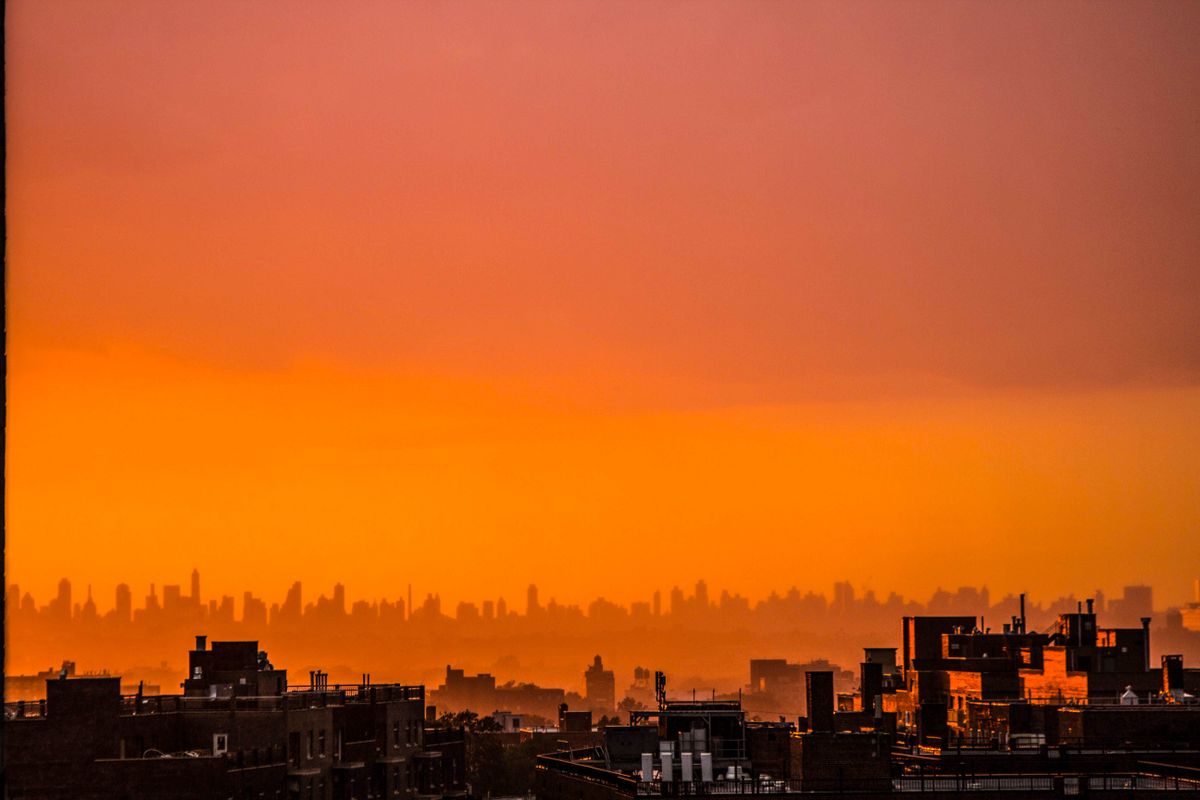
How Do I Capture a Day-to-Night Time-Lapse?
Why is changing daylight difficult to record?
Day-to-night sequences involve substantial changes in brightness and color temperature, potentially requiring exposure adjustments throughout the capture period.
Can exposure ramping improve the transition?
Exposure ramping allows exposure parameters to change gradually using compatible equipment or controlled production methods.
When implemented appropriately, it can help preserve visual continuity during changing daylight.
Should I test the exposure transition before the event?
Yes. Testing under comparable environmental conditions can help identify equipment limitations and determine whether the proposed settings can handle the expected lighting changes.
How Do I Film an Indoor Event Time-Lapse?
What is the main challenge of indoor time-lapse?
Indoor environments may contain multiple light sources, reflective surfaces, changing brightness levels, and visual activity occurring at different speeds.
Should I use the same interval throughout an indoor recording?
A consistent interval generally supports uniform playback speed. Different intervals may be appropriate for separately planned sequences with different subjects or movement patterns.
Can reflections affect indoor time-lapse footage?
Yes. Reflections from glass, polished floors, and other surfaces can influence the appearance of the sequence. Review the composition under expected lighting conditions before recording.
How Do I Capture Outdoor Time-Lapse in Saudi Arabia?
How does high temperature affect camera equipment?
High environmental temperatures can affect camera operation, battery performance, and recording reliability.
Use equipment within its manufacturer-specified operating conditions and provide suitable environmental protection without restricting necessary ventilation.
How do I protect the camera from dust?
Use appropriate equipment protection and avoid unnecessary lens or accessory changes in dusty conditions.
Review the environmental suitability of the complete camera setup rather than assuming that every component provides the same level of protection.
How can wind affect outdoor time-lapse footage?
Wind may cause small movements or vibrations that become visible when sequential frames are combined into a video.
Use a stable, appropriately rated installation and suspend recording when environmental conditions exceed safe operating limits.
Can Time-Lapse Show Architectural Changes During Events?
Why is architectural time-lapse visually effective?
Architectural time-lapse combines stable structural elements with changing light or movement, allowing viewers to compare gradual transformations against a consistent visual reference.
Should architectural lines remain consistent between frames?
Yes. Maintaining consistent framing and perspective helps prevent distracting changes in the appearance of walls, ceilings, windows, and other fixed elements.
Can architectural time-lapse be used independently?
Yes. A well-composed architectural sequence can function as an independent visual asset or as a supporting element within a larger production.
How Do I Estimate Time-Lapse Storage Requirements?
How much storage does a time-lapse sequence require?
Estimate storage by multiplying the planned number of images by the approximate average size of each captured file.
Estimated storage=Required image count × Average image file size
How much space do 1,000 RAW images require?
If each RAW image averages 30 MB, a sequence of 1,000 images requires approximately 30,000 MB, or 30 GB using decimal storage units.
Actual requirements depend on camera resolution, file format, compression, image content, and available card capacity.
Should I leave extra storage capacity?
Yes. Maintain additional available capacity for variations in file size, test captures, extended recording, and other production requirements.
| Number of Images | Average File Size | Estimated Storage | Capture Format Example |
|---|---|---|---|
| 500 | 8 MB | 4 GB | JPEG example |
| 750 | 10 MB | 7.5 GB | JPEG example |
| 1000 | 15 MB | 15 GB | JPEG example |
| 500 | 30 MB | 15 GB | RAW example |
| 1000 | 30 MB | 30 GB | RAW example |
| 1500 | 40 MB | 60 GB | RAW example |
These calculations use hypothetical average image file sizes and decimal storage units. They do not represent the fixed file size of any specific camera model.
Should I Capture Time-Lapse Images in RAW or JPEG?
What are the advantages of RAW capture?
RAW images generally provide greater flexibility for exposure adjustments, color correction, and recovery of available image detail during post-production.
When is JPEG capture suitable?
JPEG capture may be appropriate when storage efficiency and simplified processing are priorities and the production does not require extensive image adjustments.
Does RAW always produce a better final video?
No. The quality of the final video also depends on camera settings, exposure consistency, composition, processing, and output requirements.
RAW provides additional processing flexibility, but it cannot compensate for fundamentally unsuitable capture conditions.
How Do I Keep a Time-Lapse Camera Powered for Several Hours?
Can a single battery support a long recording session?
Battery runtime varies according to the camera, capture interval, display usage, temperature, and other operating conditions.
Test the intended configuration instead of relying exclusively on an estimated battery rating.
Can I use an external power supply?
Yes, when the camera supports an appropriate external power solution. Use compatible equipment and follow the manufacturer's power requirements.
How do I prevent unexpected recording interruptions?
Verify power availability, storage capacity, camera sleep behavior, interval settings, and environmental conditions before starting the sequence.
Use approved monitoring arrangements where appropriate to confirm that recording continues as intended.
How Do I Edit a Professional Time-Lapse Video?
How are individual images converted into video?
Sequential images can be imported into compatible editing software as an image sequence and interpreted at the intended playback frame rate.
Each captured image then becomes a frame within the resulting video.
Should I correct every image individually?
Consistent adjustments across related images usually provide better visual continuity than unrelated corrections applied independently to every frame.
Sequences involving changing light may require controlled adjustments across different portions of the recording.
What post-production processes improve the final sequence?
Relevant processes may include exposure balancing, color correction, deflicker processing, stabilization, reframing, and output conversion according to the production requirements.
How Do I Choose the Right Time-Lapse Playback Frame Rate?
Is 25 frames per second suitable for event time-lapse?
Yes. A playback frame rate of 25 frames per second can be suitable for professional productions using that delivery standard.
The final frame rate should match the technical requirements of the intended production or publishing destination.
What happens if I increase the playback frame rate?
When the number of captured images remains unchanged, increasing the playback frame rate reduces the final sequence duration.
For example, 600 images produce 25 seconds at 24 frames per second and 20 seconds at 30 frames per second.
Should I convert every time-lapse to 60 frames per second?
No. Higher playback frame rates are not automatically preferable and may require additional captured images or frame interpolation to achieve the intended duration.
Choose the frame rate according to the delivery requirements and visual objective.
How Do I Combine Time-Lapse With Other Professional Footage?
Should an entire production consist of time-lapse sequences?
Not necessarily. Time-lapse is particularly effective when it reveals meaningful changes over extended periods, but ordinary video is more suitable when individual actions and natural timing must remain understandable.
How long should each time-lapse sequence appear?
The appropriate duration depends on the amount of visual change, the surrounding footage, and the intended viewing experience.
Retain enough screen time for the audience to understand the transformation without extending the sequence beyond its useful visual contribution.
Should time-lapse footage match the surrounding production colors?
Generally, yes. Color treatment and contrast should remain visually compatible with the larger production unless a deliberately different visual treatment has been established.
How Do I Prepare Time-Lapse Videos for Different Screens?
Can one time-lapse be exported in horizontal and vertical formats?
Yes, when the original composition and image resolution support suitable reframing.
Plan the intended output formats before recording so that important subjects remain visible in each version.
Should I capture at a higher resolution than the final output?
Higher-resolution capture can provide additional flexibility for reframing, stabilization, and digital movement when appropriate.
However, it may also increase storage and processing requirements.
What output formats should I consider?
Choose delivery specifications according to the intended display environment, playback system, aspect ratio, resolution, and compatibility requirements.
How Much Does Professional Event Time-Lapse Production Cost?
Is time-lapse production priced only by recording duration?
No. Recording duration is one factor, but pricing may also depend on equipment requirements, installation conditions, environmental protection, monitoring, processing, and final delivery specifications.
Does a day-to-night sequence require additional production work?
It may require additional exposure planning and post-production when natural lighting changes substantially throughout the recording period.
What information is needed for a time-lapse quotation?
Provide the venue location, planned capture duration, visual subject, intended camera position, final video length, required output formats, and any installation restrictions.
| Factor | Production Impact | Information Required |
|---|---|---|
| Capture duration | Determines operating and monitoring requirements | Expected recording start and end |
| Camera position | Influences mounting and installation arrangements | Approved location and access conditions |
| Environmental conditions | May require equipment protection | Indoor or outdoor recording environment |
| Lighting variation | Affects exposure planning and processing | Expected changes in environmental light |
| Camera movement | May require specialized motion-control equipment | Fixed or moving composition |
| Final sequence length | Influences capture and editing requirements | Desired playback duration |
| Output specifications | Determines processing and delivery formats | Resolution, frame rate, and aspect ratio |
| Post-production | Determines image processing and editing scope | Color correction, stabilization, and other requirements |
A project-specific quotation should be prepared after reviewing the actual production requirements. No fixed prices or guaranteed production outcomes are assumed in this guide.
How Do I Protect Equipment and Respect Venue Requirements?
Can I leave a time-lapse camera unattended?
Only when the installation, supervision arrangements, venue permissions, and equipment protection measures allow it.
Extended recording must not introduce unnecessary risks to visitors, staff, property, or production equipment.
What should I consider when installing equipment at height?
Use approved access procedures, suitable mounting equipment, and qualified personnel where required. Camera placement should be reviewed according to the venue's safety arrangements.
Do privacy requirements apply to time-lapse photography?
Yes. Accelerated playback does not remove privacy considerations or automatically authorize the recording and publication of identifiable individuals.
Review relevant permissions, intended use, and applicable privacy requirements before capturing or distributing footage.
What Are the Most Common Event Time-Lapse Mistakes?
Why do some time-lapse videos appear unstable?
Instability may result from unsuitable mounting, equipment movement, environmental vibration, or inconsistent camera positioning during capture.
Why does the final time-lapse sometimes become too short?
The sequence may contain insufficient frames because the capture interval was too long, recording ended prematurely, or the final playback frame rate differed from the original production plan.
What other time-lapse mistakes should production teams avoid?
- Starting a recording without calculating the required frame count.
- Selecting capture intervals without considering subject movement.
- Using an exposure duration that exceeds the practical capture cycle.
- Allowing automatic focus to change unexpectedly between frames.
- Ignoring exposure variations caused by changing daylight.
- Using unstable or unsuitable camera mounting equipment.
- Failing to verify battery runtime before extended recording.
- Underestimating storage requirements.
- Neglecting environmental temperature and dust.
- Changing focal length unintentionally during capture.
- Recording without confirming the intended output format.
- Using excessive stabilization that damages the composition.
- Applying inconsistent color adjustments to sequential images.
- Installing equipment without appropriate venue approval.
- Ignoring privacy requirements for captured footage.
What Is the Professional Event Time-Lapse Checklist?
What should I verify before beginning the recording?
Review the creative, technical, environmental, and operational requirements before starting a long-duration capture sequence.
- ☐ Define the intended visual transformation.
- ☐ Confirm the total planned capture duration.
- ☐ Determine the desired final video length.
- ☐ Select the playback frame rate.
- ☐ Calculate the required number of images.
- ☐ Calculate a suitable capture interval.
- ☐ Confirm camera and intervalometer compatibility.
- ☐ Obtain approval for the camera installation position.
- ☐ Verify mounting stability.
- ☐ Establish the final composition.
- ☐ Confirm focus settings.
- ☐ Review exposure and white balance settings.
- ☐ Evaluate anticipated lighting changes.
- ☐ Verify available power and expected runtime.
- ☐ Estimate and confirm available storage capacity.
- ☐ Assess environmental operating conditions.
- ☐ Review venue safety and privacy requirements.
- ☐ Capture and inspect a test sequence.
- ☐ Establish appropriate recording monitoring arrangements.
- ☐ Confirm final delivery specifications.
What should I check after completing the capture?
Verify that the expected image sequence is available, review representative frames, identify potential exposure or composition problems, and confirm that the captured duration meets the production requirements.
How do I approve the final time-lapse?
Review playback speed, image continuity, color consistency, framing, stabilization, and the agreed output specifications before accepting the final video.
What Are the Frequently Asked Questions About Event Time-Lapse?
1. What is the best interval for event time-lapse photography?
The appropriate interval depends on total capture duration, desired video length, playback frame rate, subject movement, and equipment capabilities. Calculate the required interval before recording.
2. How many images are needed for a 30-second time-lapse?
A 30-second sequence requires 750 images at 25 frames per second, 720 images at 24 frames per second, or 900 images at 30 frames per second.
3. Can I create a time-lapse without recording continuous video?
Yes. Individual photographs captured at predetermined intervals can be combined into a continuous video during post-production.
4. What is the best camera for professional event time-lapse?
The appropriate camera depends on image quality requirements, interval capture support, power availability, environmental suitability, and recording duration. There is no universal best camera for every project.
5. Can time-lapse photography be used indoors?
Yes. Indoor time-lapse can capture movement and environmental changes, provided that camera stability, exposure continuity, artificial lighting, and venue requirements are addressed.
6. How can I prevent flicker in time-lapse footage?
Use suitable exposure and white balance settings, investigate artificial lighting behavior, maintain consistent capture conditions where possible, and apply appropriate deflicker processing when needed.
7. Can I record a time-lapse throughout an entire day?
Extended recording is possible with suitable equipment, sufficient power and storage, environmental protection, appropriate monitoring, and approved installation arrangements.
8. What is the difference between hyperlapse and time-lapse?
A conventional time-lapse often uses a fixed or controlled camera position, while a hyperlapse involves substantial changes in camera position between captured frames.
9. Can time-lapse footage be delivered in 4K?
Yes, when the source image resolution, processing workflow, and final export configuration support the required 4K output specifications.
10. How do I request professional time-lapse production in Riyadh?
Share the venue location, recording duration, visual objective, intended camera position, and desired video specifications with the production team to establish an appropriate project scope.
How Can Event Live Help With Professional Time-Lapse Production?
Can I discuss time-lapse as a separate production requirement?
Yes. Contact Event Live to discuss your intended visual sequence, recording environment, duration, and technical requirements as part of a proposed media production project.
Can time-lapse be integrated into a larger video production?
Time-lapse sequences can be considered alongside other production elements when they contribute to the visual objective and when the necessary equipment, permissions, and production arrangements are available.
What should I provide when requesting a production proposal?
Provide the event location, proposed recording period, intended subject, venue installation restrictions, desired video duration, and required delivery formats.
These details allow the production requirements and feasibility of the proposed time-lapse sequence to be evaluated before the project is confirmed.
Conclusion: How Do I Film a Professional Event Time-Lapse?
Professional event time-lapse photography combines mathematical capture planning with stable composition, controlled exposure, and consistent image processing.
Begin by determining the final video duration and playback frame rate. Calculate the required number of images, establish an appropriate capture interval, and verify that the camera can operate reliably throughout the recording period.
Pay particular attention to equipment stability, changing light, focus continuity, storage capacity, environmental conditions, and power availability. These factors directly influence the quality and completeness of long-duration photographic sequences.
During post-production, assemble the captured images at the intended frame rate, maintain visual consistency, and prepare the sequence according to the agreed delivery requirements.
For event organizers, creative agencies, and businesses in Riyadh and Saudi Arabia seeking distinctive visual production, contact Event Live to discuss professional time-lapse requirements and appropriate production options.
Event Live | Professional Event Photography and Visual Production in Saudi Arabia
Official Website: https://eventliveksa.com