




A 4G or 5G router may repeatedly stop detecting its SIM card because of improper card installation, incompatible SIM formats, damaged contacts, a defective SIM reader, unstable power, firmware problems, or a fault within the cellular modem. To identify the cause, distinguish between a SIM detection error and a mobile network registration problem, then test the SIM card and router independently under controlled conditions.
A router that displays a No SIM Card message requires a different troubleshooting approach from a router that recognizes its SIM card but cannot establish an internet connection.
For homes, offices, farms, rest houses, and remote properties in Saudi Arabia that depend on mobile broadband, recurring SIM detection failures can interrupt essential internet services even when cellular coverage is otherwise available.
This guide from Future Networks explains how to diagnose SIM card detection problems, identify possible hardware and configuration issues, and determine whether your existing router requires troubleshooting, professional inspection, or replacement.
 Call Now
 WhatsApp
What Does a No SIM Card Error Mean on a Router?
Does a No SIM Card message indicate weak mobile coverage?
Not necessarily. A No SIM Card message generally indicates that the router cannot detect or communicate successfully with the subscriber identity module installed in its SIM reader.
Cellular signal strength becomes relevant when the router attempts to discover and register with a compatible mobile network.
Can a router have excellent cellular coverage and still display No SIM?
Yes. A SIM card detection failure may occur independently of the available mobile coverage because the router must communicate with the SIM before completing normal subscriber authentication and network registration.
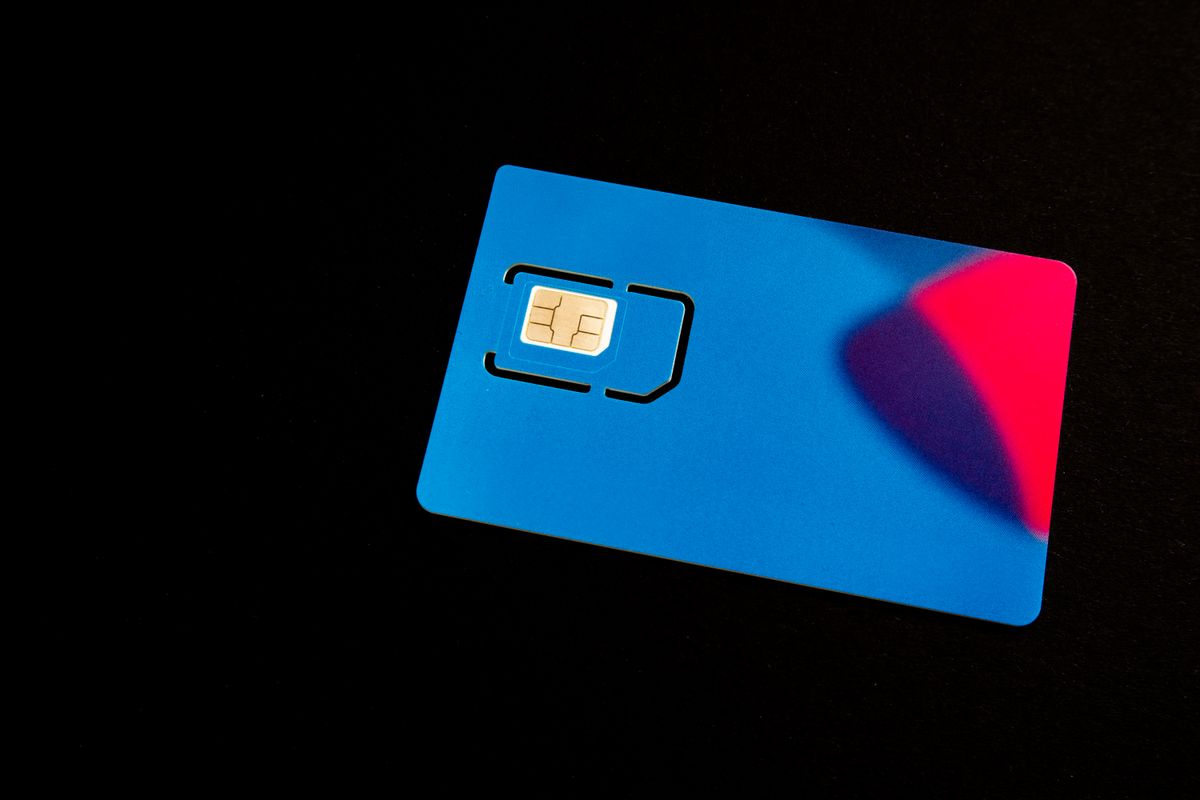
What Is the Difference Between SIM Detection and Network Registration?
Why is this distinction important when troubleshooting?
Replacing antennas or changing mobile network settings may not resolve a physical SIM detection problem. Similarly, replacing a correctly functioning SIM reader may not resolve a subscription or network registration issue.
How do the main cellular connection stages differ?
| Connection Stage | Primary Function | Possible Failure Indication |
|---|---|---|
| SIM card detection | Establish communication with the installed SIM | No SIM, SIM absent, or card not detected |
| SIM initialization | Prepare the SIM for cellular authentication | SIM initialization failed or SIM error |
| SIM security verification | Complete required PIN or security procedures | PIN required or SIM locked |
| Network discovery | Identify available compatible cellular networks | Searching for network or no service |
| Network registration | Register the subscriber with an authorized network | Registration denied or not registered |
| Mobile data session | Establish an internet data connection | Registered but no internet access |
| Local network distribution | Provide connectivity to Wi-Fi and Ethernet devices | Connected devices unable to access the internet |
Router manufacturers may use different status messages. Consult the actual device documentation before interpreting a specific error.
Why Does My 5G Router Say No SIM When a SIM Is Installed?
What are the most common possible causes?
- The SIM card is not installed in the correct orientation.
- The SIM card does not match the supported physical format.
- The card is not seated correctly in its holder.
- The SIM contacts are damaged or contaminated.
- The SIM card itself has developed a fault.
- The router's SIM reader is damaged.
- The router is experiencing a temporary initialization error.
- The cellular modem is not operating correctly.
- The device has an incompatible or defective firmware configuration.
- The router is receiving unstable or unsuitable electrical power.
Should I assume the router needs replacing immediately?
No. A controlled comparison between the original SIM card, another compatible SIM card, and another suitable device can help identify whether the problem is associated with the SIM, the router, or another part of the connection process.
How Do I Check Whether My SIM Card Is Installed Correctly?
Should a SIM card be inserted while the router is powered on?
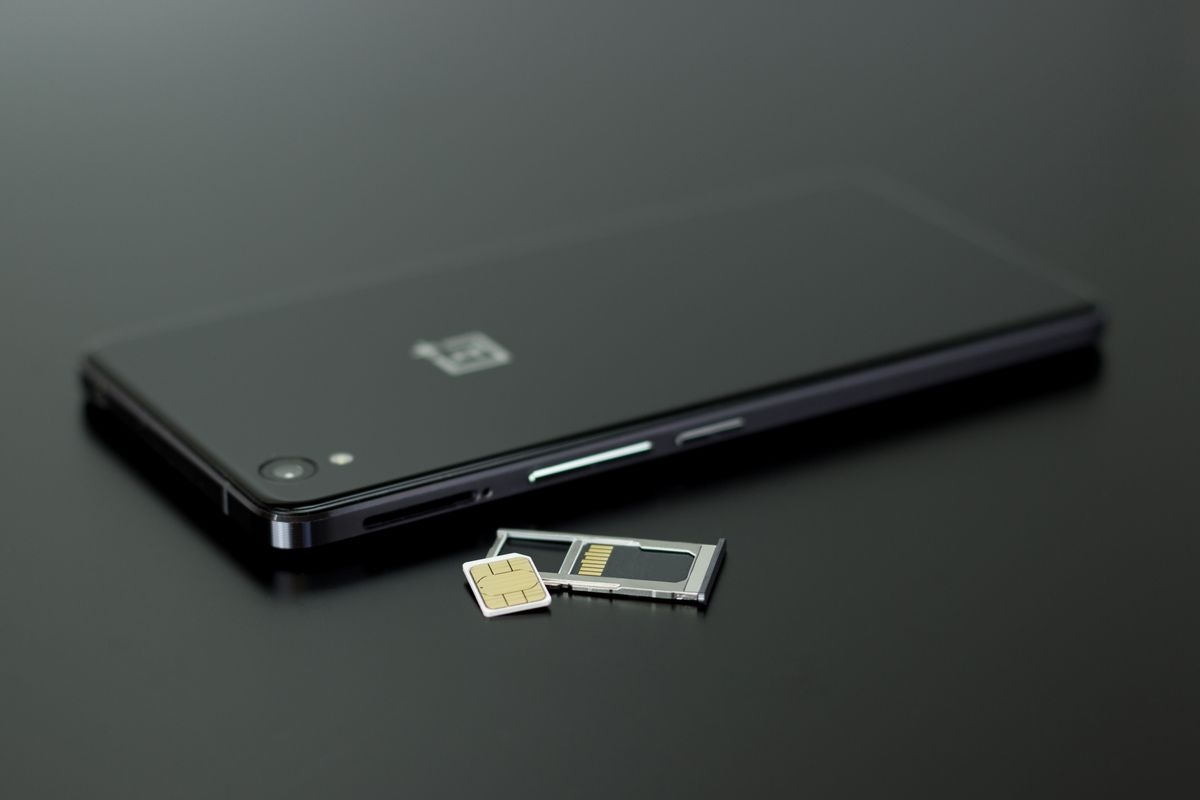
Follow the router manufacturer's instructions. Unless the device explicitly supports SIM replacement during operation, shut down the router and disconnect its power before removing or reinstalling the SIM card.
How can I verify the correct installation?
- Identify the router's exact model number.
- Consult its SIM installation instructions.
- Confirm the required SIM card format.
- Locate the orientation indicator on the SIM holder.
- Inspect the SIM for visible damage.
- Insert the card according to the manufacturer's instructions without applying excessive force.
- Restore power and allow the router to complete its normal startup process.
- Review the SIM status in the administration interface.
Do not force a SIM card into a slot or use unsuitable tools to push the card into position.
What Are the Different SIM Card Formats Used in Routers?
Why do different routers use different SIM card sizes?
Cellular routers may be designed for different physical SIM formats according to their internal modem and card reader construction.
Which physical SIM formats should users recognize?
| SIM Format | Standard Physical Dimensions | Important Compatibility Consideration |
|---|---|---|
| Mini SIM (2FF) | 25 × 15 mm | Requires a reader designed for the larger physical format |
| Micro SIM (3FF) | 15 × 12 mm | Must match the device's approved SIM holder |
| Nano SIM (4FF) | 12.3 × 8.8 mm | Common in compact cellular equipment, but not universally supported |
| eSIM | No removable card format | Requires compatible hardware, software, and supported service provisioning |
Physical compatibility does not automatically establish service compatibility. A router must also support the required cellular technologies and the relevant subscription conditions.

Can a SIM Card Adapter Cause Router Detection Problems?
Why might a SIM adapter create difficulties?
A SIM adapter may change how a smaller card fits inside a larger reader. If the adapter does not fit correctly, the SIM may fail to align with the reader contacts or become difficult to remove.
Should every SIM adapter be considered compatible?
No. Some router manufacturers may restrict or discourage the use of particular adapters because of the design of their SIM readers.
Where possible, obtain a SIM card in the correct physical format directly from the service provider rather than using an unsuitable adapter.
If a SIM card or adapter becomes stuck, avoid forcing it out. Seek appropriate technical assistance to reduce the risk of damaging the reader.
Can a Manually Cut SIM Card Damage a Router?
Why is cutting a SIM card not recommended?
Manually cutting a SIM card can produce incorrect dimensions, uneven edges, damaged contact areas, or an unsuitable fit within the SIM reader.
What is a better alternative?
Request a replacement card in the correct physical format from the mobile service provider, subject to its identification and replacement procedures.
Using an appropriately manufactured SIM card helps avoid unnecessary mechanical problems during installation and removal.
How Do I Inspect a SIM Card for Physical Damage?
Which visible signs may indicate a damaged SIM?
- Cracks in the card body.
- Noticeable bending or deformation.
- Damaged or deeply scratched contact areas.
- Corrosion or unusual discoloration.
- Irregular edges caused by manual cutting.
- Evidence of unsuitable adhesive or modification.
- Damage associated with a previous adapter installation.
Does a visually undamaged SIM always work correctly?
No. A SIM card may have an internal electrical or communication fault even when its external appearance seems normal.
Cross-device testing is often more informative than visual inspection alone.
Can Dust or Contamination Prevent SIM Card Detection?
Why are SIM contact surfaces important?
Physical SIM cards communicate with compatible readers through electrical contacts. Contamination, damage, or poor alignment may interfere with reliable communication.
How should a SIM card be handled safely?
Follow the manufacturer and service provider's handling guidance. Avoid touching the contact surfaces unnecessarily, using abrasive materials, applying unapproved liquids, or inserting objects into the router's SIM reader.
If the reader itself appears contaminated or damaged, qualified technical inspection is preferable to attempting internal repairs without suitable tools and expertise.
Why Does My Router Detect the SIM Only After Restarting?
Does restarting the router permanently solve SIM detection problems?
No. Restarting may temporarily resolve an initialization or software state problem, but a recurring failure indicates that the underlying cause still requires investigation.
What should I record when the problem occurs?
- The exact router model.
- The current firmware version, if available.
- The SIM status before restarting.
- The SIM status after restarting.
- The time the problem first appeared.
- Whether the router had been operating continuously.
- Whether the device restarted unexpectedly.
- Any recent configuration or firmware changes.
- Whether the same issue occurs with another compatible SIM.
A record of recurring failures can help distinguish intermittent software problems from possible hardware faults.
Why Does My Router Detect the SIM and Then Lose It Again?
What is an intermittent SIM detection failure?
An intermittent failure occurs when the router recognizes the SIM during certain periods but later reports that the card is absent, unavailable, or unable to initialize.
What could cause this behavior?
Possible causes include unreliable electrical contact, a defective reader, SIM hardware problems, unstable power, firmware errors, or a malfunction affecting the internal cellular modem.
The exact cause cannot be established from the intermittent behavior alone. Controlled troubleshooting and technical inspection may be required.
How Do I Check SIM Status in a Router Administration Interface?
Do all 4G and 5G routers use the same administration address?
No. Management addresses, login procedures, application interfaces, and available diagnostic menus differ according to the device manufacturer, model, firmware, and network configuration.
Where should I look for SIM information?
Consult the router documentation and locate the relevant cellular status, mobile network, internet connection, modem information, or SIM management section if available.
Which information may be useful?
- SIM detection status.
- SIM security status.
- Mobile network registration status.
- Cellular connection status.
- Supported modem information.
- Firmware version.
- Available system event records.
- Mobile data connection profile.
Never publish screenshots containing administration passwords, complete subscriber identifiers, or other sensitive account information.
How Do I Understand Different SIM Card Error Messages?
Do all SIM-related errors indicate a defective card?
No. Different messages may relate to physical detection, security verification, subscriber authentication, network compatibility, or account conditions.
What do common categories of error messages indicate?
| Error Message Category | Possible Meaning | Recommended Initial Review |
|---|---|---|
| No SIM Card | The device cannot detect or communicate with the SIM | Review physical installation and cross-device testing |
| SIM Error | A general SIM communication or initialization problem | Check documentation and test another compatible SIM |
| SIM PIN Required | The SIM requires its security PIN | Use the correct authorized PIN procedure |
| PUK Required | The SIM requires a personal unblocking key | Obtain the correct PUK from the service provider |
| Invalid SIM | A possible compatibility, authorization, or SIM communication issue | Review the device documentation and subscription conditions |
| No Service | The device has not established usable network service | Review coverage, network compatibility, and registration |
| Registration Denied | The network has not accepted the registration attempt | Confirm subscription and network access conditions |
| Connected Without Internet | Network connectivity exists but internet access is unavailable | Review data session settings, subscription, and service status |
These descriptions are general diagnostic categories. The precise meaning of an error must be checked against the documentation for the actual router.
Can a SIM PIN Prevent a Router From Connecting?
What is a SIM PIN?
A SIM PIN is a personal identification number used to protect access to a SIM card when the relevant security feature is enabled.
Does a PIN requirement mean the SIM card is missing?
No. A PIN requirement generally indicates that the device has recognized the SIM but needs the appropriate security verification before it can proceed.
How should the PIN requirement be handled?
Use the correct PIN supplied or established through the authorized service provider and device procedures. Do not repeatedly guess the PIN, because incorrect attempts may cause the SIM to become blocked.
What Should I Do If My Router Requests a PUK Code?
What does PUK mean?
PUK stands for Personal Unblocking Key. It is used in certain SIM security recovery procedures after the SIM becomes blocked.
Can I use a random PUK code found online?
No. The correct recovery information must be obtained through the authorized mobile service provider or the relevant official account documentation.
Repeated incorrect PUK entries may permanently disable the SIM, depending on the card's security conditions.
Do not continue guessing recovery codes. Contact your service provider when the correct code is unavailable.
Can an Expired or Suspended Internet Subscription Cause a No SIM Error?
Does subscription expiration physically disable SIM detection?
Usually, a subscription problem affects service authorization, network registration, or internet data access rather than the router's physical ability to detect the SIM.
Why might a customer confuse these problems?
Some router interfaces provide limited or ambiguous connection messages, making it difficult to distinguish between a detected SIM with unavailable service and a SIM detection failure.
Confirm the subscription status through the service provider and separately review the SIM status displayed by the router.
Can an Incorrect APN Cause a Router to Lose Its SIM Card?
What does APN mean?
APN stands for Access Point Name. It is part of the configuration used by cellular devices to establish appropriate mobile data connectivity.
Will changing APN settings repair a damaged SIM reader?
No. APN configuration is associated with mobile data connectivity and does not repair physical SIM reader problems.
When should APN settings be reviewed?
Review APN settings when the router detects its SIM but cannot establish the expected mobile data connection, particularly when the subscription requires a specific connection profile.
Use configuration information approved by the relevant service provider rather than copying unverified APN values from unrelated subscriptions.
Can Changing 4G or 5G Network Modes Solve SIM Detection Errors?
What is the purpose of selecting a cellular network mode?
Network mode settings determine which supported cellular technologies the router may attempt to use, according to the device's capabilities and available network conditions.
Does switching from 5G to 4G repair the SIM card reader?
No. Changing cellular network modes does not directly repair physical SIM detection faults.
However, if a router recognizes the SIM but cannot register with a particular network technology, reviewing supported network modes may help diagnose the separate registration problem.
How Do I Test Whether the SIM Card or Router Is Defective?
What is cross-device testing?
Cross-device testing involves checking the original SIM card in another compatible device and checking the original router with another known-working, compatible SIM card.
What conditions should be established before testing?
Confirm that the devices support the required SIM format, cellular technology, and applicable subscription conditions. Follow the manufacturer's instructions for removing and installing SIM cards.
How can different test results be interpreted?
| Original SIM in Another Compatible Device | Known-Working SIM in Original Router | Possible Interpretation |
|---|---|---|
| Detected successfully | Not detected | A router-side detection problem becomes more likely |
| Not detected | Detected successfully | A fault associated with the original SIM becomes more likely |
| Detected successfully | Detected successfully | An intermittent issue or configuration-specific problem may require further investigation |
| Not detected | Not detected | The results are inconclusive; compatibility, test conditions, and additional faults require review |
| Detected but unable to connect | Detected but unable to connect | Investigate network registration, subscription, and mobile data settings separately |
Cross-device testing helps narrow possible causes but does not independently establish every hardware or software fault.

Can I Test My Router SIM Card in a Smartphone?
Is a smartphone a suitable device for checking physical SIM detection?
A compatible smartphone may help determine whether the SIM card can be recognized by another reader.
Does successful detection guarantee that the SIM will provide internet service in the smartphone?
No. Some mobile broadband subscriptions may have device eligibility requirements, service restrictions, or configuration conditions that differ from ordinary smartphone subscriptions.
The smartphone test should distinguish physical card detection from the ability to register and establish a data connection.
Check the service provider's conditions before using a router subscription in another type of device.
Can a Router Be Restricted to a Particular Mobile Service Provider?
What is a network-restricted router?
Some cellular equipment may be sold or configured with restrictions relating to supported service providers, subscriptions, or authorized network access.
Does every router purchased in Saudi Arabia support every SIM card?
No. Compatibility can depend on the exact hardware model, regional version, firmware configuration, supported cellular frequency bands, service provider conditions, and any applicable device restrictions.
How can I verify compatibility before purchasing a router?
Review the official documentation for the exact model and confirm compatibility with the intended mobile subscription and service provider.
Avoid assuming that a router is universally compatible simply because it supports 4G or 5G technology.
Can Regional Router Versions Affect SIM Compatibility?
Why might two routers with similar names behave differently?
Manufacturers may produce regional hardware or firmware versions with different cellular frequency support, configuration options, service restrictions, or other technical characteristics.
What information should customers verify?
- The complete device model number.
- The regional hardware version.
- The approved firmware version.
- The supported physical SIM format.
- The supported cellular technologies.
- Relevant frequency band compatibility.
- Any service provider restrictions.
- Available device support and warranty arrangements.
Compatibility should be confirmed for the specific device offered for sale rather than inferred from a similar commercial model name.
Can a Firmware Update Cause SIM Detection Problems?
What is router firmware?
Firmware is the software that controls the router's hardware, management functions, cellular modem interactions, and other operating features.
Can software problems affect SIM initialization?
Yes. Depending on the device, software or firmware errors may interfere with the process of initializing the SIM or communicating with the cellular modem.
What should I do if SIM errors begin after an update?
Record the previous and current firmware versions if known, review the manufacturer's support information, and report the exact symptoms through the appropriate technical support channel.
Do not install unofficial firmware or attempt unsupported software modifications to resolve the problem.
Should I Update My Router Firmware to Fix a SIM Error?
Can an official firmware update resolve certain software-related faults?
Potentially. An authorized update may include improvements or corrections affecting modem operation, initialization, or device stability.
Should every SIM error be treated as a firmware problem?
No. A firmware update will not repair mechanically damaged reader contacts or other physical defects.
Use the manufacturer's official update method for the exact device model, maintain appropriate power conditions during the update, and follow any applicable configuration backup procedures.
Firmware changes should be based on relevant technical guidance rather than trial-and-error installation of unrelated software versions.
Can an Unstable Power Supply Cause SIM Detection Failures?
Why does power stability matter for cellular routers?
Cellular routers require suitable electrical power to operate their network interfaces, internal modem, processing hardware, and other components reliably.
Can unsuitable power cause intermittent problems?
Potentially. An unsuitable or defective power adapter, unstable electrical connection, or other power-related fault may contribute to unexpected restarts or abnormal device behavior.
What should be reviewed?
Check whether the router uses its manufacturer-approved power supply or an explicitly compatible replacement. Review visible damage, loose external connections, unexpected restart patterns, and other signs that require professional inspection.
Do not substitute an adapter simply because its connector physically fits the router.
Why Does My Router Lose the SIM After a Power Interruption?
Can a power interruption affect the startup process?
Yes. A router may need to restart its internal systems, initialize the modem, detect the SIM, and register with the mobile network after electrical power returns.
What should happen during normal recovery?
The router should complete its supported startup sequence and establish connectivity when the SIM, network, subscription, and equipment are functioning appropriately.
What if the SIM repeatedly fails to appear after power returns?
Document the startup behavior and review the approved power supply, firmware, and SIM detection status. Recurring abnormal recovery may require technical support or hardware inspection.
Can Heat Cause a Router to Stop Recognizing Its SIM Card?
Why are operating conditions important in Saudi Arabia?
Indoor and remote-site networking equipment may experience elevated ambient temperatures, restricted ventilation, direct sunlight, or other conditions outside its intended operating environment.
Does a SIM error during hot weather prove that overheating is responsible?
No. A temperature-related pattern may justify further investigation, but it does not establish the exact cause of the fault.
Review the manufacturer's operating environment requirements and record whether the problem consistently appears under particular conditions.
Keep the router in an appropriate ventilated environment and do not attempt internal modifications to its thermal management system.
Can an External 5G Antenna Fix a No SIM Card Error?
What is the purpose of an external cellular antenna?
A compatible external antenna may help improve cellular radio conditions in certain installations when signal reception is a limiting factor.
Does an external antenna communicate directly with the SIM card reader?
No. The antenna supports radio transmission and reception, while the SIM reader handles communication with the subscriber identity module.
If the router cannot detect the SIM, an antenna upgrade is not the appropriate first response to that specific fault.
When should antenna performance be evaluated?
Evaluate antenna requirements after confirming that the router detects its SIM and that the problem relates to cellular reception, network performance, or other relevant radio conditions.
Can Wi-Fi Settings Cause SIM Detection Problems?
Are Wi-Fi and cellular SIM functions the same?
No. Wi-Fi provides local wireless connectivity between devices and the router, while the SIM supports subscriber identity and authentication for cellular network services.
Why can my phone connect to Wi-Fi while the router displays No SIM?
The router's local wireless network may continue operating even when its cellular internet connection is unavailable.
A successful Wi-Fi connection therefore does not confirm that the router's SIM, cellular modem, or mobile internet service is functioning correctly.
How Do I Identify a Possible SIM Reader Hardware Fault?
What signs may suggest a router-side hardware problem?
- Several known-working compatible SIM cards cannot be detected.
- The original SIM functions normally in another compatible device.
- SIM detection repeatedly fails without an identifiable subscription issue.
- The SIM holder is visibly damaged.
- The reader cannot retain the card according to its intended design.
- The problem continues after manufacturer-approved troubleshooting.
- The device reports recurring internal modem communication errors.
Does one of these signs confirm hardware failure?
Not necessarily. Professional inspection may be needed to distinguish SIM reader damage from modem, firmware, electrical, or internal connection problems.
Do not open a router or attempt to replace internal SIM reader components without suitable technical qualifications and authorization.
Should I Factory Reset a Router With SIM Detection Problems?
What does a factory reset do?
A factory reset generally returns configurable device settings to their default state according to the manufacturer's design.
Can a factory reset repair a defective SIM card or reader?
No. Resetting configuration settings does not repair physical components.
When might a reset be considered?
A factory reset may be considered after less disruptive troubleshooting when the manufacturer recommends it or when a configuration-related problem is reasonably suspected.
Before proceeding, review backup options and ensure that you have the authorized information required to restore internet settings, Wi-Fi configuration, and any important network services.
Avoid performing an unnecessary reset on a router supporting essential security, remote monitoring, or business systems without an appropriate recovery plan.
How Do I Interpret Router System Logs During SIM Failures?
Can system logs help identify the sequence of a connection failure?
Yes. Where available, system logs may show device startup events, cellular modem changes, network registration attempts, initialization errors, or other diagnostic information.
Which records may be useful to technical support?
- Unexpected system restart events.
- SIM detection and initialization messages.
- Cellular modem communication errors.
- Network registration failures.
- Firmware-related warnings.
- Time references associated with the interruption.
- Changes in the reported SIM status.
Log terminology varies between devices. Technical support should interpret the records according to the actual router documentation and observed behavior.
Remove or conceal sensitive identifiers and account information before sharing diagnostic records.
How Do I Troubleshoot SIM Detection Problems in the Correct Order?
Why should troubleshooting begin with simple verification?
Starting with the exact error message, physical compatibility, and basic card installation can prevent unnecessary configuration changes or equipment purchases.
What troubleshooting sequence can customers follow?
| Diagnostic Stage | Action | Purpose |
|---|---|---|
| 1. Identify the error | Record the exact SIM or cellular status message | Distinguish detection problems from connection failures |
| 2. Review compatibility | Confirm the correct SIM format and device requirements | Exclude basic compatibility problems |
| 3. Inspect and reinstall | Follow the manufacturer's SIM handling instructions | Check for installation and visible card problems |
| 4. Restart appropriately | Allow the router to complete its normal startup process | Check whether the failure is temporary or recurring |
| 5. Cross-device testing | Test compatible known-working SIM cards and devices | Narrow possible card-side and router-side faults |
| 6. Verify subscription | Confirm service status through the mobile provider | Separate service authorization from physical detection |
| 7. Review software and power | Check official firmware guidance and approved power arrangements | Investigate possible initialization and stability problems |
| 8. Obtain technical assistance | Provide documented results to the appropriate support provider | Determine whether further inspection or replacement is required |
Not every diagnostic stage is required in every situation. Stop testing if the equipment shows signs of electrical damage, physical defects, or other conditions requiring professional inspection.
How Do I Troubleshoot a SIM Error in a Remote Farm Router?
Why are remote properties particularly sensitive to router failures?
Remote farms and other isolated properties may depend on cellular routers for security monitoring, authorized remote access, communication, and connected equipment.
What should be established before troubleshooting?
Identify the services that depend on the router, determine whether an interruption could affect essential functions, and establish appropriate access and recovery arrangements.
How can remote-site troubleshooting be organized?
Maintain an accurate record of the router model, SIM subscription, configuration requirements, approved power arrangements, and contact information for authorized technical support.
If physical SIM removal is required, ensure that the person performing the task has the correct device instructions and authorization.
How Do I Prevent SIM Detection Failures in an Office Router?
Why should businesses document cellular router configurations?
Businesses may rely on cellular internet as a primary connection or as a backup connection for important operational services.
What documentation can help reduce recovery difficulties?
- The exact router model and hardware version.
- The approved SIM card format.
- The authorized service provider and subscription information.
- The required connection profile.
- The approved firmware version.
- The designated power supply.
- The authorized network administrator.
- The appropriate configuration recovery procedures.
- The technical support and warranty information.
Sensitive credentials and subscriber information should be stored securely and made accessible only to authorized personnel.
How Do Dual-SIM Routers Handle SIM Detection Problems?
What is a dual-SIM router?
A dual-SIM router supports two SIM cards according to its hardware and software design.
Do all dual-SIM routers use both cellular connections simultaneously?
No. Some devices support switching between SIM cards using a single cellular modem, while others may have different hardware arrangements and connection management capabilities.
Can a second SIM automatically resolve every hardware failure?
No. A secondary SIM may support continuity under certain card or service-related failure conditions, but shared hardware problems, modem faults, power interruptions, or configuration errors may affect both SIM connections.
Confirm the actual dual-SIM architecture and switching capabilities before selecting equipment for a specific reliability requirement.
Can an eSIM Router Eliminate Physical SIM Reader Problems?
How does an eSIM differ from a removable SIM card?
An eSIM-based system uses an embedded subscriber identity solution and compatible digital profile provisioning rather than requiring the user to insert a conventional removable SIM card for that connection.
Does eSIM remove all cellular connectivity problems?
No. While eSIM can avoid certain removable card handling and reader contact problems, it can still experience provisioning, compatibility, authentication, firmware, subscription, or network registration issues.
The router and intended service provider must both support the relevant eSIM capabilities and subscription arrangement.
Do not assume that every eSIM service available for smartphones can also be activated on a cellular router.
How Do I Decide Whether to Replace the SIM Card?
When might SIM replacement be the appropriate solution?
Replacement may be appropriate when the card is visibly damaged, cannot be detected in multiple compatible devices, or has been identified as defective by the mobile service provider.
Who should provide the replacement SIM?
Obtain the replacement through the authorized service provider and follow its identification, account verification, activation, and subscription transfer procedures.
Before installing the replacement, confirm that its physical format and service conditions are suitable for the intended router.
When Should I Consider Replacing My 4G or 5G Router?
Is replacing the router justified after one SIM detection failure?
Not necessarily. A temporary initialization problem or defective SIM may be resolved without replacing the router.
Which conditions may justify replacement assessment?
Replacement may become appropriate when a router has a confirmed hardware fault, cannot reliably detect compatible SIM cards, lacks suitable technical support, or cannot meet the required service compatibility conditions.
Compare the available repair and replacement options, warranty conditions, device compatibility, and the importance of connection reliability before making a purchase.
How Do I Choose a Replacement Router With Reliable SIM Compatibility?
Should maximum advertised internet speed determine the purchase?
No. Internet speed is only one consideration. The router must also support the required mobile subscription, available cellular technologies, network conditions, physical SIM format, and intended operating environment.
What specifications should be reviewed?
| Router Specification | Why It Matters | What to Confirm Before Purchase |
|---|---|---|
| SIM format | Determines physical card compatibility | The exact supported SIM type |
| Cellular technology | Determines supported mobile network connection options | Compatibility with the intended service |
| Frequency band support | Influences compatibility with available cellular networks | Supported bands for the specific regional model |
| Subscription compatibility | Determines whether the device can use the intended service | Applicable service provider and device conditions |
| SIM management features | Supports identification of card and connection status | Available status information and diagnostic functions |
| Firmware support | Helps maintain device functionality and security | Official update and technical support arrangements |
| Power requirements | Supports reliable equipment operation | Approved electrical supply and adapter specifications |
| Operating environment | Determines suitability for the intended installation location | Manufacturer-defined environmental requirements |
| External antenna compatibility | May support suitable radio reception arrangements where required | Approved antenna connections and supported configurations |
| Warranty and support | Provides a defined process for eligible equipment faults | Actual warranty coverage and service conditions |
Review specifications for the exact router being purchased. Do not assume that every model supports the same features or service arrangements.

Can Future Networks Help Me Select a Compatible Cellular Router?
What information should I provide before requesting a recommendation?
Provide the current router model, the intended mobile service, the SIM format, installation location, observed error messages, and the results of any appropriate troubleshooting already completed.
Why is compatibility assessment important before purchasing?
Because buying a new router without understanding the underlying fault may result in unnecessary expenditure or the selection of equipment that does not meet the actual service and installation requirements.
Future Networks can discuss suitable networking equipment and cellular router options according to the customer's requirements, subject to verified device specifications and actual product availability.
How Much Does It Cost to Resolve Router SIM Detection Problems?
Is there a standard cost for every SIM card error?
No. The cost depends on whether the issue requires basic configuration assistance, SIM replacement through the service provider, warranty assessment, professional hardware inspection, or replacement networking equipment.
Should I purchase replacement equipment before completing basic diagnosis?
No. Begin by identifying the exact error and reviewing compatibility, card condition, and suitable cross-device test results.
SIM replacement fees, technical support charges, repair costs, and equipment prices should be confirmed directly with the relevant provider. No universal prices can accurately represent every situation.
What Information Should I Send to Router Technical Support?
How can I prepare a clear technical support request?
- The complete router manufacturer and model number.
- The router's regional hardware version, if available.
- The current firmware version.
- The mobile service provider.
- The supported and installed SIM format.
- The exact error message displayed.
- The date the problem first appeared.
- Whether the problem is continuous or intermittent.
- Whether restarting temporarily resolves the issue.
- Whether the original SIM works in another compatible device.
- Whether another compatible SIM works in the original router.
- Whether the router has experienced unexpected restarts.
- Any recent official firmware or configuration changes.
- Photographs of the external equipment condition when relevant.
- Relevant diagnostic logs with sensitive information removed.
Do not include administration passwords, SIM security codes, complete subscriber identifiers, or account credentials in ordinary public support messages.
What Are the Most Common Router SIM Troubleshooting Mistakes?
Which diagnostic mistakes should customers avoid?
- Confusing a No SIM error with weak cellular reception.
- Assuming that Wi-Fi connectivity confirms mobile internet functionality.
- Replacing an antenna to repair a physical SIM detection problem.
- Changing APN settings before confirming that the SIM is detected.
- Assuming every 5G router supports every mobile subscription.
- Interpreting missing service as proof of a damaged SIM reader.
- Ignoring the distinction between SIM initialization and network registration.
- Purchasing a replacement router without testing a compatible SIM.
- Relying on diagnostic information from an unrelated router model.
Which hardware and configuration mistakes should be avoided?
- Forcing a SIM card into an incompatible reader.
- Using manually cut SIM cards without appropriate compatibility.
- Inserting unsuitable SIM adapters.
- Using sharp objects inside the SIM slot.
- Applying unapproved cleaning liquids to electronic components.
- Removing the SIM while powered on when the device does not support it.
- Installing unofficial or incompatible router firmware.
- Repeatedly guessing SIM PIN or PUK codes.
- Performing a factory reset without a recovery plan.
- Using unsuitable replacement power adapters.
- Attempting internal hardware repairs without technical qualifications.
- Sharing sensitive device or subscriber credentials publicly.
What Is the Router SIM Detection Troubleshooting Checklist?
What should I check before requesting technical support?
- ☐ Identify the exact router model.
- ☐ Record the displayed SIM error.
- ☐ Distinguish SIM detection from network registration.
- ☐ Consult the manufacturer's SIM installation instructions.
- ☐ Confirm the correct physical SIM format.
- ☐ Inspect the SIM for visible damage.
- ☐ Reinstall the card according to the approved procedure.
- ☐ Allow the router to complete its normal startup process.
- ☐ Check whether the SIM security PIN is required.
- ☐ Contact the service provider if authorized recovery information is needed.
- ☐ Test the original SIM in another compatible device when permitted.
- ☐ Test another known-working compatible SIM in the router.
- ☐ Confirm the subscription status with the service provider.
- ☐ Verify the approved power adapter.
- ☐ Review the device's operating environment.
- ☐ Record the firmware version.
- ☐ Review relevant official troubleshooting guidance.
- ☐ Preserve appropriate diagnostic information.
What should I confirm before purchasing a replacement router?
- ☐ Determine whether the existing SIM is functioning correctly.
- ☐ Identify whether the fault is likely associated with the router.
- ☐ Review applicable warranty and technical support conditions.
- ☐ Confirm the exact replacement router model.
- ☐ Verify supported SIM formats.
- ☐ Verify compatibility with the intended mobile subscription.
- ☐ Review cellular technology and frequency band support.
- ☐ Confirm relevant diagnostic and management features.
- ☐ Review official firmware support.
- ☐ Confirm the approved electrical supply requirements.
- ☐ Review environmental suitability for the installation location.
- ☐ Confirm any required external antenna compatibility.
- ☐ Obtain verified product availability and pricing information.
- ☐ Establish a suitable configuration and recovery plan.
What Are the Frequently Asked Questions About Router SIM Card Problems?
1. Why does my 5G router display No SIM Card?
The router may be unable to communicate with its SIM because of incorrect installation, an incompatible card format, damaged contacts, a defective card reader, software problems, unstable power, or another internal device fault.
2. Can poor cellular signal cause a No SIM error?
Poor cellular signal generally affects network discovery, registration, or connection performance rather than physical SIM detection. Confirm the exact device status before evaluating signal reception.
3. How do I know whether my router SIM card is damaged?
Inspect the card for visible damage and test it in another compatible device when permitted by the service conditions. If the SIM repeatedly fails detection in suitable devices, contact the mobile service provider for assessment or replacement.
4. Why does my router recognize its SIM after restarting but lose it later?
This may indicate an intermittent contact problem, SIM fault, firmware issue, internal modem malfunction, or power-related instability. Record the error pattern and complete appropriate compatibility and cross-device tests.
5. Can changing APN settings fix a SIM card detection error?
APN settings are associated with establishing mobile data connectivity. They do not directly repair a damaged SIM reader or resolve an incompatible physical SIM card installation.
6. Can I use a smartphone to test a mobile broadband SIM card?
A compatible smartphone may help verify physical SIM detection. However, internet service functionality depends on the subscription conditions, device eligibility, supported network technologies, and applicable configuration requirements.
7. Can installing an external 5G antenna solve a No SIM problem?
No. External antennas support cellular radio reception and transmission. They do not repair SIM card readers or restore communication between the router and an undetected SIM.
8. Should I factory reset my router if the SIM card is not detected?
A factory reset should not be the first response to a possible physical SIM fault. Consider it only after appropriate basic troubleshooting or when recommended by the manufacturer, and ensure that important network configurations can be restored.
9. When should I replace a router with recurring SIM detection problems?
Replacement may be appropriate after confirming that compatible SIM cards function correctly in other devices, reviewing manufacturer-approved troubleshooting, and obtaining suitable assessment of the router's condition, repair options, and warranty coverage.
10. How can I contact Future Networks about 4G or 5G router problems?
Contact Future Networks on 0531266622 or through WhatsApp. Provide the router model, installed SIM type, exact error message, installation location, and relevant test results to discuss suitable networking equipment and possible next steps.
How Can Future Networks Help You Choose the Right Mobile Broadband Equipment?
Why should SIM detection problems be diagnosed before purchasing networking equipment?
Because cellular internet failures can originate from several independent parts of the connection process. A SIM card fault requires a different response from a damaged reader, a network registration issue, an unsuitable subscription, or weak cellular reception.
Correctly identifying the affected connection stage helps customers avoid purchasing antennas, routers, or other networking products that do not address the actual problem.
Future Networks provides networking and cellular connectivity equipment solutions for residential, commercial, agricultural, and remote-site applications in Saudi Arabia.
Customers can discuss compatible 4G and 5G router options, cellular networking requirements, external antenna compatibility, and suitable equipment configurations according to their actual installation needs.
Specific router features, supported SIM formats, service compatibility, product availability, warranty coverage, and technical support arrangements should be confirmed before completing a purchase.
Official Future Networks website: https://future-sa.net
How should you begin resolving your router SIM problem?
Record the exact SIM error, identify your router model, verify the card format, and complete appropriate cross-device testing according to manufacturer and service provider requirements. Contact Future Networks with the results to discuss suitable networking equipment options.
Conclusion: A router that repeatedly loses its SIM card requires a structured diagnostic approach that separates physical SIM detection, subscriber security verification, cellular network registration, and mobile data connectivity. Begin by checking the correct SIM format and installation procedure, then compare the original SIM and router with compatible known-working equipment. Review official firmware guidance, approved power arrangements, and subscription conditions before deciding whether repair or replacement is appropriate. Do not purchase external antennas or change unrelated network settings to resolve an unidentified SIM detection fault. The objective is to establish the actual cause and select a reliable cellular networking solution that meets your requirements in Saudi Arabia.